
Internal Linking After Website Migration: Complete SEO Fix Guide (2026)
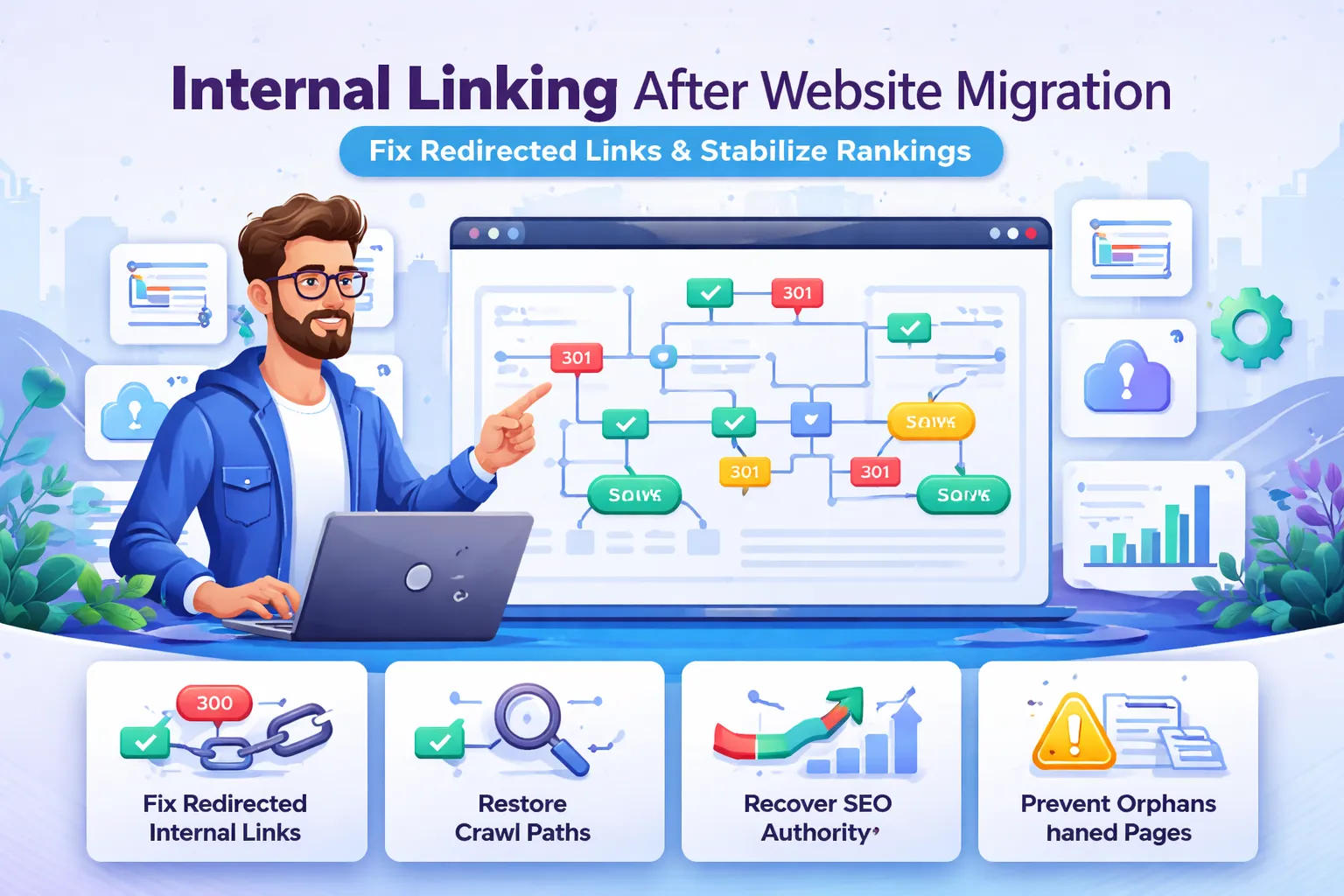
Website migrations fail far more often than most teams expect — and the #1 reason is broken internal linking.
You can have perfect redirects, clean URLs, and strong content — but if your internal links still point to old URLs, redirected paths, or orphaned pages, your rankings will slowly collapse.
This guide explains — step by step — how to:
- Fix internal linking after any website migration
- Recover lost SEO authority and crawl paths
- Prevent indexation chaos and ranking drops
- Rebuild a clean internal link structure Google trusts
This is not theory. This is the exact internal-link recovery framework used on SEO, ecommerce, SaaS, and content sites in 2026.
PART A: Why Internal Linking Breaks After Website Migration
Most website migrations technically “succeed” — pages load, redirects work, and Google can crawl the site.
Yet rankings drop anyway.
To fix internal linking after migration, you first need to understand why it breaks in the first place.
What Counts as a Website Migration?
Many site owners underestimate what Google considers a migration.
All of the following qualify:
- Domain change (example.com → newexample.com)
- HTTPS migration
- CMS change (WordPress → Headless, Shopify → Custom)
- URL structure change
- Blog / category restructuring
- International or language restructuring
Any of these can disrupt internal linking — even if redirects are perfect.
Why Redirects Alone Are Not Enough
This is the most common migration myth:
Redirects are a safety net — not a strategy.
When internal links point to redirected URLs:
- Google wastes crawl budget
- Link equity is diluted
- Signals arrive slower
- Canonical confusion increases
Over time, Google stops trusting the site’s structure.
The Hidden Internal Linking Damage After Migration
Here’s what typically happens post-migration:
- Navigation links still reference old URLs
- Contextual blog links point to redirected pages
- Footer links reference deprecated categories
- Orphaned pages increase
- Important pages lose internal PageRank
None of this causes immediate crashes.
Instead, you see:
- Gradual impression loss
- Ranking volatility
- Pages stuck as “Crawled – not indexed”
- Google choosing wrong canonicals
How Google Uses Internal Links Post-Migration
After a migration, Google relies heavily on internal links to:
- Understand new URL relationships
- Redistribute authority
- Decide which pages remain important
- Rebuild crawl paths
If internal links send mixed signals, Google hesitates — and hesitation means ranking loss.
Why Internal Linking Issues Are Hard to Detect
Internal linking failures rarely appear as “errors”.
Instead, they surface indirectly:
- Important pages lose impressions
- Index coverage becomes unstable
- New pages take longer to index
- Search Console shows inconsistent canonicals
Many site owners mistakenly blame:
- Content quality
- Algorithm updates
- Backlinks
When the real issue is structural.
End of Part A
At this point, you should understand:
- Why internal links break after migration
- Why redirects alone are not enough
- How Google re-evaluates link structure
Next, we’ll expose the internal linking mistakes that destroy rankings.
PART B: Internal Linking Mistakes That Kill Rankings After Migration
Most migration failures come down to a small set of repeatable internal linking mistakes.
If even one of these exists on your site, Google’s ability to trust your structure collapses.
1️⃣ Internal Links Pointing to Redirected URLs
This is the most damaging mistake.
After migration, internal links often still point to:
- Old URLs
- Temporary redirect paths
- Chained redirects
Every internal redirect:
- Wastes crawl budget
- Dilutes link equity
- Slows signal consolidation
2️⃣ Orphaned Pages After URL Changes
When URLs change, internal references are often forgotten.
This creates orphaned pages — URLs that:
- Exist
- Return 200 status
- Have no internal links
Google treats orphaned pages as low-priority or expendable.
3️⃣ Navigation Still Reflects Old Site Hierarchy
Navigation is one of the strongest internal linking signals.
After migration, nav menus often:
- Link to outdated categories
- Prioritize unimportant pages
- Ignore new strategic URLs
This sends Google the wrong importance signals.
4️⃣ Contextual Links Removed During Content Cleanup
Many migrations include content “cleanup”.
Unfortunately, this often removes:
- Editorial links
- Cross-topic references
- Topical authority connections
The result is a flatter, weaker internal graph.
5️⃣ Footer and Template Links Left Untouched
Footer links often persist across migrations.
Common problems:
- Links to deprecated pages
- Old category paths
- Redirecting URLs
These low-quality signals spread site-wide.
End of Part B
If your site shows ranking loss after migration, at least one of these mistakes exists.
Next, we move to the most important section:
PART C: How to Fix Internal Linking After Website Migration (Step-by-Step)
PART C: How to Fix Internal Linking After Website Migration (Step-by-Step)
This is the core recovery section. If rankings dropped after migration, this framework is what fixes it.
Follow these steps in order. Skipping steps leads to partial recovery or long-term instability.
Step 1: Create a Post-Migration URL Map
Before touching links, you must understand:
- Old URLs → New URLs
- Which URLs changed
- Which URLs were removed
Export:
- Old sitemap (pre-migration)
- New sitemap
- Top landing pages from Google Search Console
If your traffic dropped sharply after migration, also read: Why SEO Traffic Drops After Website Migration
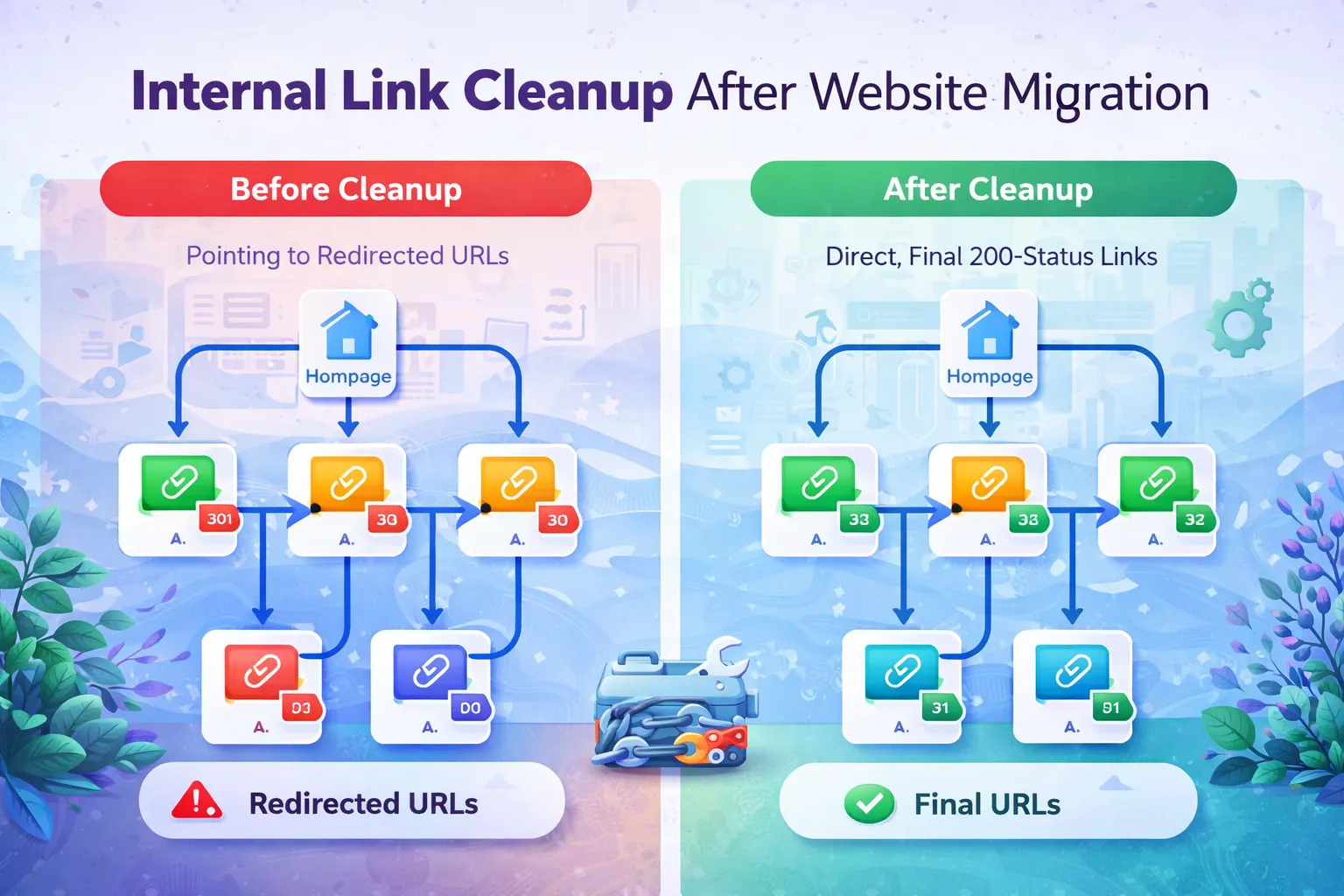
Step 2: Remove Internal Links Pointing to Redirects
This is the highest-impact fix.
Scan your site for internal links that:
- Return 301 / 302
- Chain through multiple redirects
- Point to deprecated URLs
Every internal link should point directly to:
- Final URL
- 200 status
- Canonical version
Related deep dive: How to Fix “Page with Redirect” Errors in GSC
Step 3: Rebuild Navigation & Footer Links
Navigation links carry disproportionate internal authority.
After migration:
- Remove links to low-value pages
- Promote revenue or cornerstone content
- Ensure all nav links are final URLs
Your menu should reflect:
- New site hierarchy
- Topical authority clusters
- Search intent priorities
If you restructured URLs, cross-check with: SEO Migration Mistakes to Avoid
Step 4: Restore Contextual Internal Links
Editorial links matter more than navigation links.
During migrations, content is often:
- Shortened
- Rewritten
- Reformatted
This frequently removes contextual links that:
- Pass topical relevance
- Help Google understand relationships
- Distribute PageRank naturally
You can strengthen topical authority using: Content Authority SEO Strategy
Step 5: Fix Orphaned Pages
Orphaned pages are common after migration.
A page is orphaned if:
- It exists
- Returns 200
- Has zero internal links
Google treats orphaned pages as expendable.
Fix by:
- Linking from relevant articles
- Adding to category hubs
- Including in sitemap (if important)
Step 6: Update XML Sitemap After Internal Fixes
Sitemaps should reflect your final structure — not transitional states.
Ensure your sitemap contains only:
- Canonical URLs
- 200-status pages
- Pages with internal links
If Google shows “Discovered – currently not indexed”, review: Why URLs Stay Discovered or Unknown in GSC
End of Part C
At this stage, your site should:
- Have clean crawl paths
- Pass authority efficiently
- Show indexing stabilization
Next comes the long-term strategy.
PART D: Long-Term Internal Linking Optimization After Migration
Fixing internal links restores stability. Optimizing them drives growth.
1️⃣ Build Topical Hubs Instead of Flat Structures
After migration, many sites remain flat:
- Too many pages at the same level
- No clear topical hierarchy
Google prefers:
- Pillar pages
- Supporting sub-content
- Strong internal connections
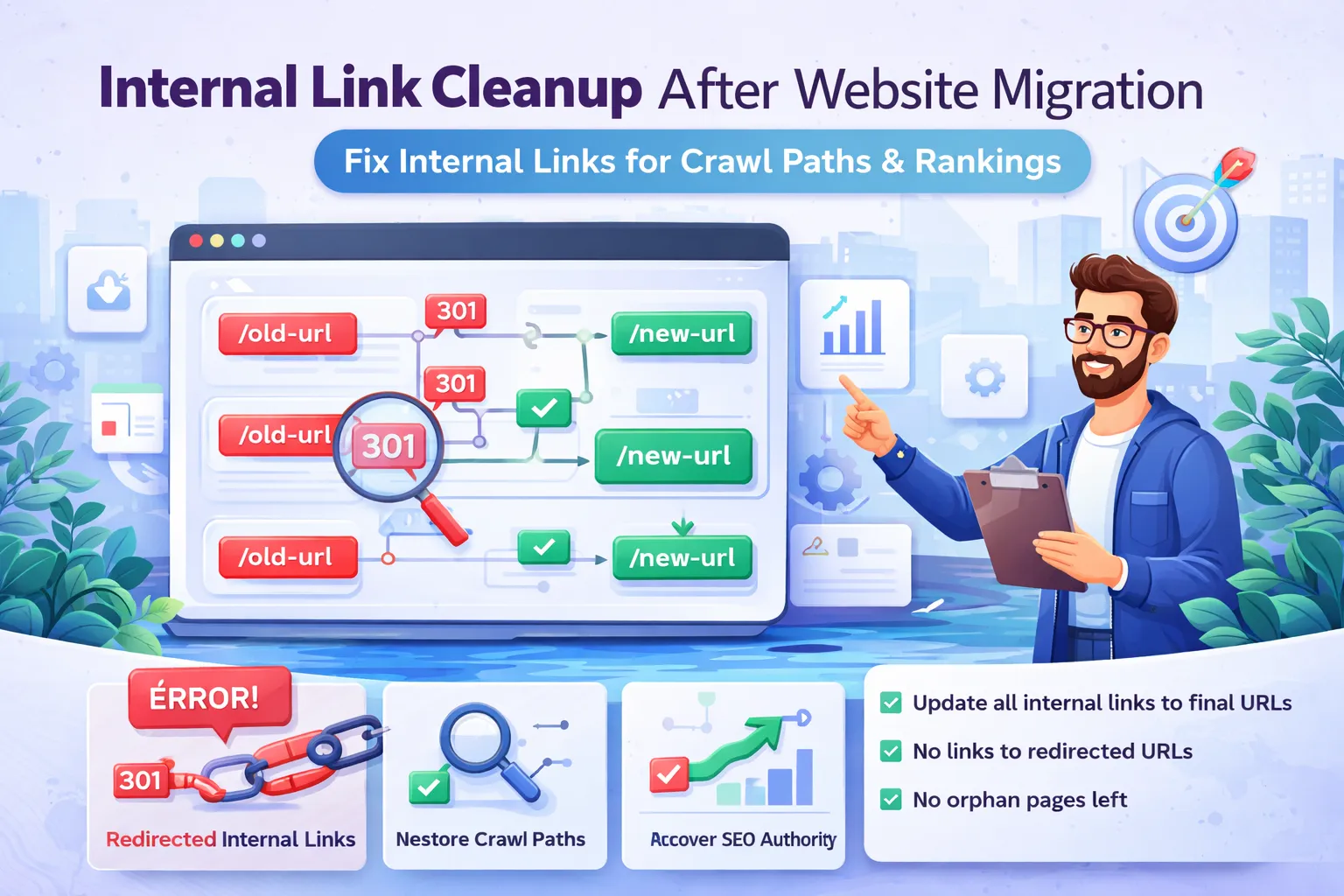
Your existing migration cluster supports this perfectly:
2️⃣ Use Internal Links to Fix Indexing Issues
Internal linking is the fastest way to resolve:
- Crawled – currently not indexed
- Discovered – currently not indexed
If you see indexing delays, reinforce links from:
- High-traffic posts
- Navigation hubs
- Cornerstone content
Related reading: How to Fix Crawled – Currently Not Indexed
3️⃣ Monitor Internal Linking Using GSC
Use Google Search Console to monitor:
- Internal links report
- Index coverage trends
- Canonical selection
If errors appear, review: Google Search Console Errors Explained
4️⃣ Internal Linking Maintenance Schedule
Post-migration, internal linking is not “set and forget”.
| Frequency | Action |
|---|---|
| Monthly | Fix redirected internal links |
| Quarterly | Review orphaned pages |
| Bi-annually | Re-evaluate navigation priorities |
5️⃣ What NOT to Do After Migration
- Do not over-optimize anchors
- Do not auto-link every keyword
- Do not force links to low-value pages
- Do not rely on redirects long-term
Final Conclusion
Website migrations do not fail because of Google. They fail because of broken internal structure.
If you:
- Clean redirected internal links
- Restore contextual connections
- Rebuild navigation authority
- Maintain internal link hygiene
Google will:
- Re-crawl faster
- Re-index cleaner
- Restore rankings steadily
Frequently Asked Questions: Internal Linking After Website Migration
What is internal linking after website migration?
Internal linking after website migration is the process of updating and optimizing internal links so search engines can properly crawl, index, and understand the new URLs after a site move.
Why is internal linking important after a website migration?
Internal linking is critical after migration because broken or redirected links can block crawl paths, dilute link equity, and cause ranking drops if not fixed.
Can poor internal linking cause traffic drops after migration?
Yes. Weak internal linking can prevent Google from discovering migrated pages properly, leading to indexing delays and traffic loss.
How do I audit internal links after migration?
You can audit internal links using tools like Screaming Frog, Google Search Console, or site crawlers to identify redirected, broken, and orphaned links.
Should internal links point to redirected URLs after migration?
No. Internal links should always point directly to the final destination URL, not to URLs that redirect.
How long does it take for internal linking fixes to work?
Internal linking improvements usually start showing SEO impact within 2–4 weeks, with full recovery often taking 1–3 months.
What are orphan pages after migration?
Orphan pages are pages that have no internal links pointing to them, making them difficult for search engines to discover.
How do I fix orphan pages after website migration?
Fix orphan pages by adding contextual internal links from relevant content, navigation menus, or hub pages.
Does internal linking help Google re-evaluate migrated URLs?
Yes. Strong internal linking helps Google understand page importance and speeds up re-evaluation after migration.
Should anchor text be changed after migration?
Anchor text should be reviewed and adjusted to remain relevant, natural, and aligned with the new URL structure.
Can over-optimized internal anchors hurt SEO?
Yes. Repeating exact-match anchors excessively can create over-optimization signals and slow SEO recovery.
How many internal links should important pages have?
Important migrated pages should receive at least 3–5 contextual internal links from relevant pages.
Do internal links affect crawl budget after migration?
Yes. Clean internal linking improves crawl efficiency and ensures Google focuses on priority pages.
Should internal links be updated in old blog posts?
Yes. All historical content should be updated to point to new URLs after migration.
Can internal linking fix “Crawled – currently not indexed” issues?
Yes. Strong internal linking is one of the most effective ways to resolve indexing issues after migration.
Is a hub page useful for post-migration internal linking?
Yes. A hub page centralizes authority and improves crawl paths for all migration-related content.
Should footer and navigation links be updated after migration?
Yes. Navigation and footer links must point to final URLs and reflect the new site structure.
What is the biggest internal linking mistake after migration?
Leaving internal links pointing to old or redirected URLs is the most common and damaging mistake.
Is internal linking a one-time fix after migration?
No. Internal linking should be monitored and optimized continuously as content evolves.
Request a Post-Migration SEO Audit →
- Internal links often break silently after a website migration
- Redirected internal links dilute authority and waste crawl budget
- All internal links must point to final 200-status URLs
- Strong internal linking restores crawl paths and ranking stability
- Most SEO traffic drops after migration are internal-link related