
Google Search Console Errors: What to Fix & How
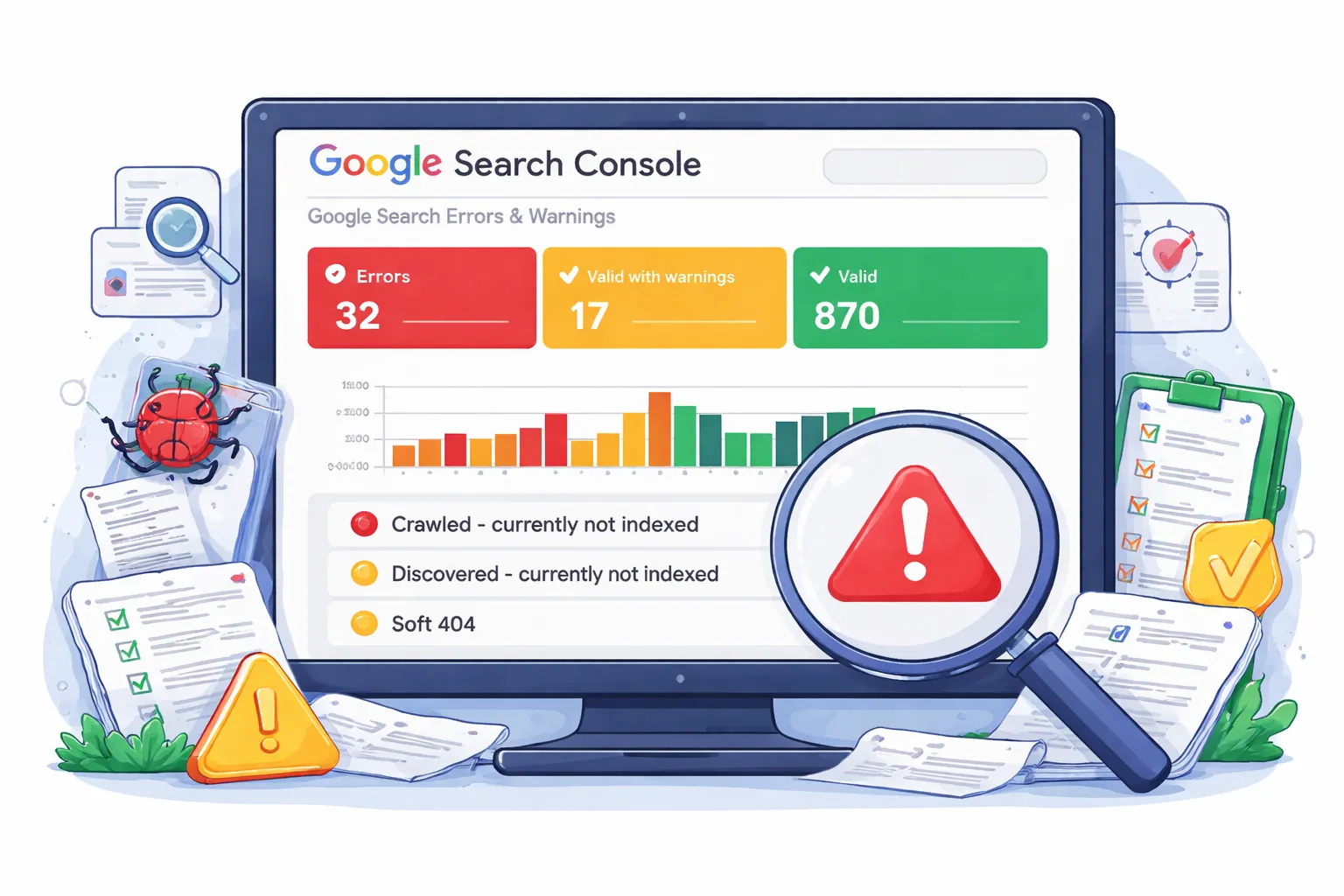
Google Search Console (GSC) is one of the most powerful — and misunderstood — SEO tools. Every week, website owners panic over errors like:
- “Crawled – currently not indexed”
- “Discovered – currently not indexed”
- “Page with redirect”
- “Soft 404”
If your issues are related to migration, read our SEO traffic recovery after migration guide .
The truth? Not every Google Search Console error needs fixing. Some are harmless. Some are expected. Others can quietly destroy rankings if ignored.
This guide explains — clearly and practically — which GSC errors matter in 2026, which ones you can safely ignore, and how to prioritize fixes without wasting time.
- Fix: Crawled not indexed, redirects, canonicals
- Ignore: Alternate canonical, parameter URLs
- Focus on indexing + internal linking first
How to Diagnose Google Search Console Errors: A Practical Workflow
When Search Console reports an issue, start with the affected URL and its business or search value rather than trying to clear every row in the report. Google recommends using Search Console to understand how Google crawls and indexes pages, and using URL Inspection to investigate individual URLs. citeturn0search0
- Identify the exact URL and report. Record the affected URL, the report name, and whether the page is important for search traffic.
- Test the live URL. Check whether the page returns a normal HTTP response, is accessible to Googlebot, and can be rendered.
- Check indexing signals. Review robots.txt, noindex directives, canonical URL, redirects, and whether the page is actually eligible for indexing.
- Check discovery. Confirm the URL is in the appropriate sitemap and is linked internally from relevant pages.
- Separate technical status from ranking performance. An indexed URL can still rank poorly, while some Search Console statuses are expected for URLs that should not be indexed.
- Fix the underlying cause first. Do not repeatedly request indexing when the page has a canonical, crawlability, redirect, or content-quality problem.
- Validate after deployment. Reinspect important URLs and monitor the relevant Search Console report after Google has had time to recrawl the changes. Google specifically recommends inspecting live URLs after fixes and allowing time for recrawling and reindexing. citeturn0search1turn0search3
GSC Error Triage: Signal → Check → First Action
| Search Console signal | What to check | First action |
|---|---|---|
| Crawled – currently not indexed | Content usefulness, canonical, internal links, duplication | Improve the page and its supporting signals before requesting indexing again |
| Discovered – currently not indexed | Internal links, sitemap, crawl demand, server response | Strengthen discovery and confirm the URL is worth indexing |
| Page with redirect | Redirect target, redirect chain, canonical, internal links | Keep the redirect intentional and point links/sitemaps to the final URL |
| Soft 404 | Page content, HTTP status, empty/thin template | Return a useful page or a genuine 404/410 when the URL should not exist |
| Duplicate / alternate canonical | Canonical target and duplicate content | Confirm the selected canonical is intentional and internally consistent |
| URL is unknown to Google | Discovery, sitemap, internal links, crawlability | Make the URL discoverable and inspect it before requesting indexing |
PART A: How Google Search Console Errors Actually Work
Before fixing anything, you need to understand a critical fact:
GSC reports are not instructions. They are diagnostic indicators based on how Google crawls, indexes, and evaluates URLs.
Many site owners:
- Fix non-issues
- Ignore real problems
- Trigger new indexing issues
Understanding how GSC categorizes URLs prevents costly mistakes.
How Google Decides URL Status
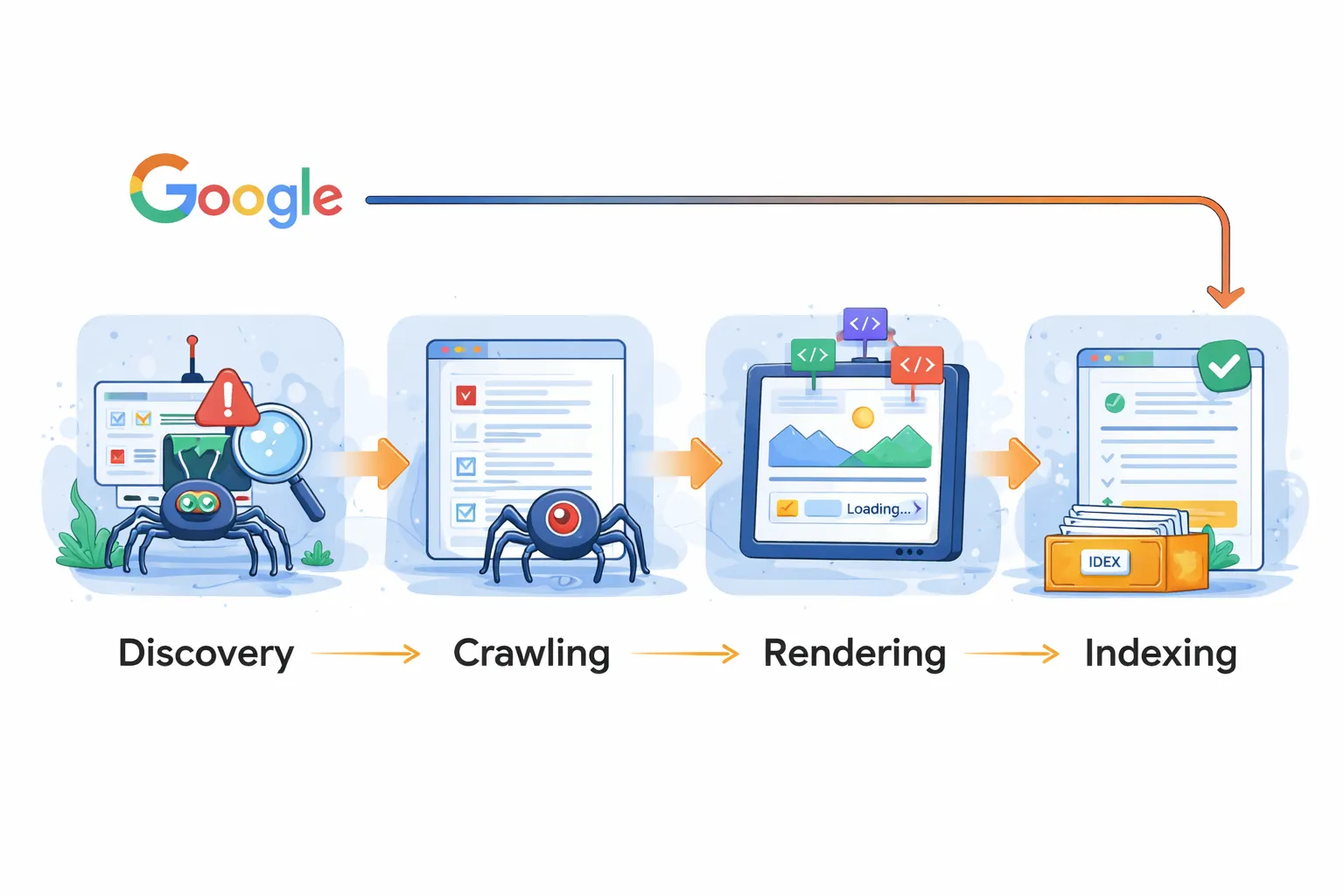
Every URL Google discovers goes through four stages:
- Discovery – Google finds the URL
- Crawling – Google fetches the page
- Rendering – Google processes content
- Indexing – Google decides whether to index
Google Search Console errors appear when a URL fails or is delayed at one of these stages.
Why GSC Errors Increased in 2025–2026
For official guidelines, refer to the Google Search Central documentation .
Google has become far more selective about what it indexes.
Key reasons:
- AI-generated content explosion
- Duplicate intent pages
- Thin affiliate sites
- JavaScript-heavy websites
As a result, errors like:
- Crawled – currently not indexed
- Discovered – currently not indexed
are now extremely common — even on high-quality sites.
Errors vs Warnings vs Excluded Pages
| Category | Meaning | Action Needed |
|---|---|---|
| Error | Page failed indexing or crawling | Investigate immediately |
| Warning | Potential issue | Context-dependent |
| Excluded | Google intentionally ignored page | Often safe to ignore |
The Biggest GSC Mistake People Make
The most damaging mistake is treating all errors equally.
In Part B, we’ll cover **only the errors that actually damage rankings**.
In Part C, you’ll learn which errors you should stop worrying about completely.
End of Part A
At this point, you should understand:
- Why GSC errors exist
- How Google classifies URLs
- Why not all errors are problems
Next, we move to the most important section:
PART B: Google Search Console Errors You MUST Fix (Ranking Killers)
PART B: Google Search Console Errors You MUST Fix (Critical)
Not all Google Search Console errors are equal. Some are informational. Some are noise. But a small group of errors can silently destroy rankings, indexing, and traffic if left unresolved.
This section covers the high-impact GSC errors that directly affect SEO performance in 2026, with clear explanations and exact fixes.
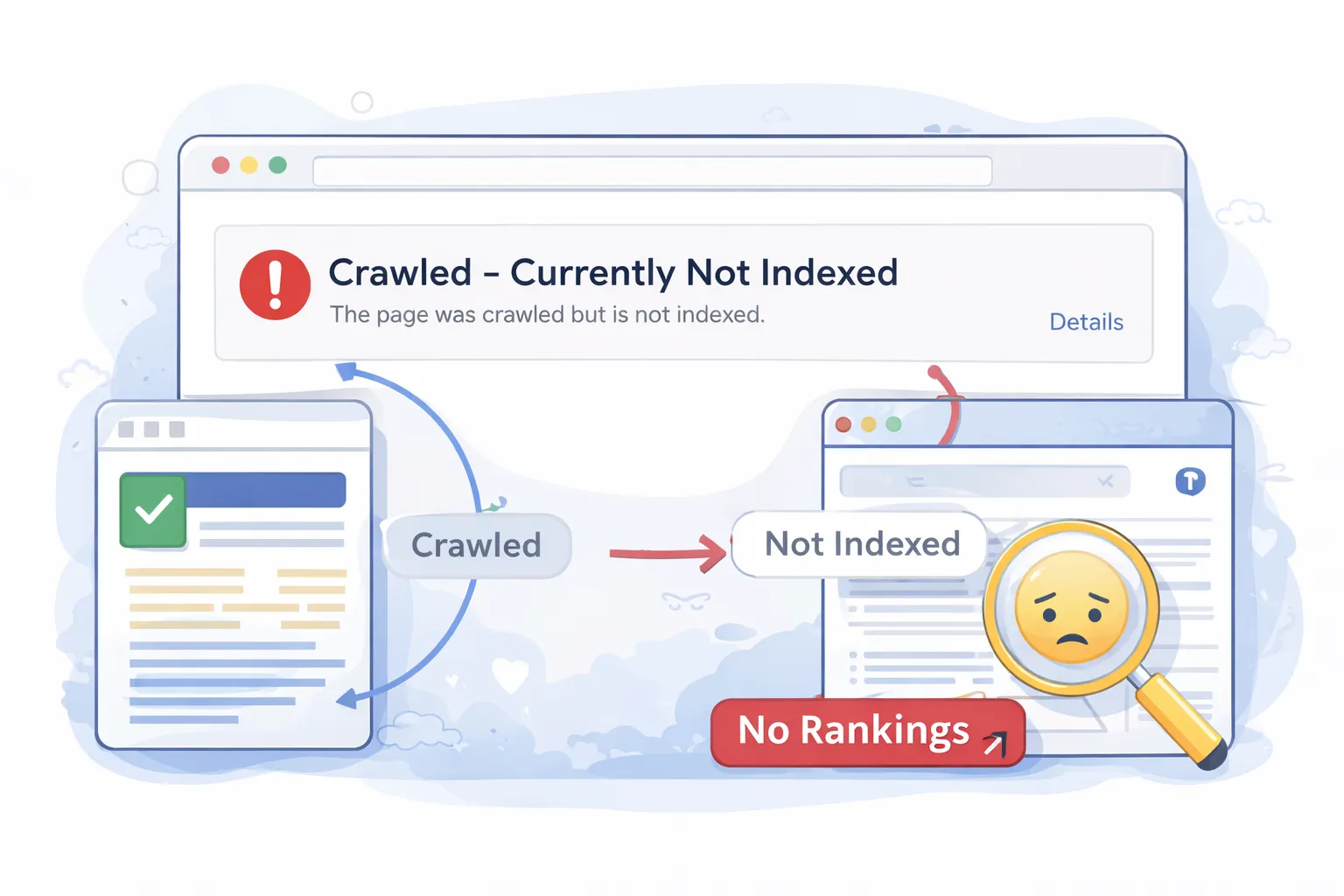
1️⃣ Crawled – Currently Not Indexed (High Priority)
This is the most common and most misunderstood Google Search Console error.
It means:
- Google successfully crawled the page
- Google rendered the content
- Google decided not to index it
This is not a crawl problem. It is a quality, relevance, or duplication decision.
Main causes in 2026:
- Thin or surface-level content
- Duplicate intent pages
- Weak internal linking
- Pages rewritten or shortened after migration
- Low perceived value vs existing indexed pages
What actually works:
You can review how indexing works in detail via the Google Search Console indexing reports documentation .
- Restore content depth (compare with indexed competitors)
- Merge overlapping pages targeting the same intent
- Add contextual internal links from strong pages
- Ensure a self-referencing canonical tag
Related deep dive: How to Fix Crawled – Currently Not Indexed (Step-by-Step)
2️⃣ Discovered – Currently Not Indexed (Critical for New Pages)
This error means:
- Google knows the URL exists
- Google has NOT crawled it yet
- The page is stuck in discovery
In 2026, this usually signals a crawl prioritization problem.
Main causes:
- Weak or missing internal links
- Too many low-value URLs on the site
- Poor crawl budget distribution
- Deep URL structure
Fix checklist:
- Link to the page from navigation or high-authority posts
- Remove junk URLs from sitemap
- Ensure sitemap contains only 200-status URLs
- Flatten overly deep URL paths
Related guide: Why URLs Stay Unknown or Discovered in GSC
3️⃣ Page with Redirect (Silent Ranking Killer)
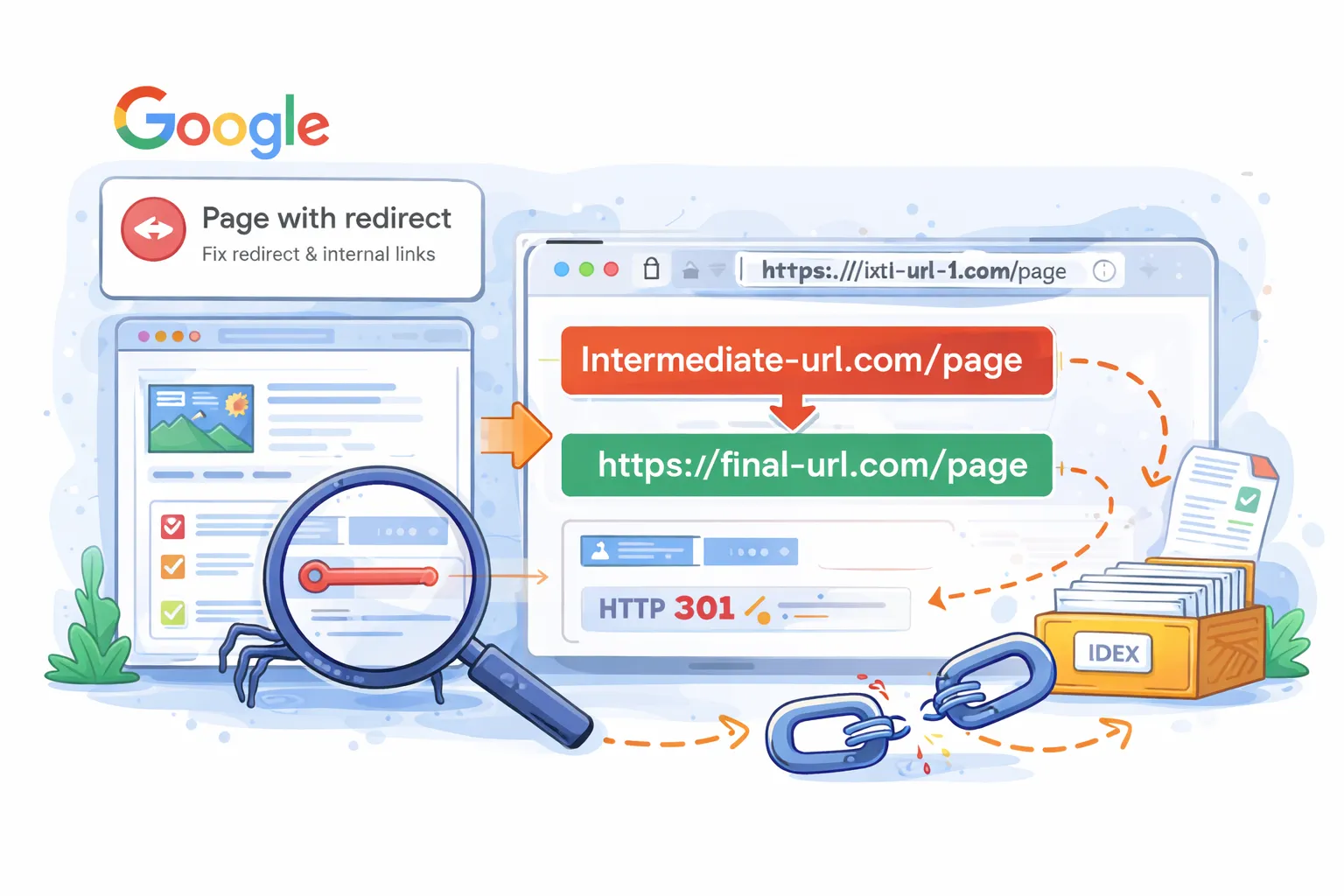
This error appears when:
- A URL is indexed or linked internally
- The URL redirects to another page
- Google keeps encountering the redirect
This is extremely common after:
- Website migrations
- URL structure changes
- Trailing slash or .html cleanup
Why this matters:
- Google may ignore the redirected URL
- Link equity can be diluted
- Indexing signals become inconsistent
Fix checklist:
- Update all internal links to the final URL
- Remove redirected URLs from XML sitemap
- Ensure canonical points to the final destination
Related guide: How to Fix “Page with Redirect” in GSC
4️⃣ Soft 404 (High Risk if Misused)
A Soft 404 means:
- The page returns a 200 status
- But content is empty, irrelevant, or misleading
- Google treats it as a broken page
Common causes:
- “No results found” pages
- Thin category pages
- Expired product or service pages
- Redirects to irrelevant pages
Fix strategy:
- Return proper 404/410 for dead pages
- Redirect only when a relevant alternative exists
- Add meaningful content to thin pages
5️⃣ Duplicate Without User-Selected Canonical
This error means Google found multiple similar pages and you did not clearly tell Google which one to index.
Typical causes:
- Trailing slash vs non-slash URLs
- HTTP vs HTTPS versions
- Filtered or parameter URLs
- Pagination duplication
Fix checklist:
- Add self-referencing canonical tags
- Redirect non-canonical URL variants
- Ensure sitemap contains only canonical URLs
6️⃣ Blocked by robots.txt (Critical When Accidental)
This error is only dangerous when it affects:
- Important pages
- CSS or JS needed for rendering
It often happens when:
- Staging rules leak into production
- Over-aggressive crawl blocking is used
Fix:
- Audit robots.txt carefully
- Allow access to essential resources
- Test using URL Inspection → View crawled page
End of Part B
If you fix the issues in this section correctly, you will usually see:
- Indexing recovery within weeks
- Impression growth before traffic
- Stabilization of rankings
Next, we cover the opposite side:
PART C: Google Search Console Errors You Can Ignore (Without Hurting SEO)
PART C: Google Search Console Errors You Can Ignore (Safely)
Google Search Console shows many warnings and exclusions — but not all of them require action.
In fact, fixing the wrong “errors” often causes:
- Indexing instability
- Ranking drops
- Crawl budget waste
- Canonical conflicts
This section explains which GSC errors are normal, why Google reports them, and when you should leave them alone.
1️⃣ Alternate Page with Proper Canonical Tag
This is one of the most misunderstood “errors” in Google Search Console.
It simply means:
- Google found multiple similar URLs
- You correctly defined a canonical URL
- Google respected your canonical choice
Common examples:
- Pagination URLs
- Tracking parameters
- Filtered category URLs
- HTTP → HTTPS variants
What to do:
- Nothing
- Do not force indexing
- Do not remove canonical tags
2️⃣ Excluded by ‘noindex’ Tag (When Intentional)
This warning only matters if:
- Important pages are accidentally noindexed
Otherwise, it is expected behavior.
Pages that SHOULD be noindexed:
- Admin pages
- Thank-you pages
- Login or dashboard URLs
- Internal search results
Do not:
- Remove noindex “just to reduce errors”
- Request indexing for noindex pages
3️⃣ Duplicate, Google Chose Different Canonical
This message causes panic — but context matters.
Google shows this when:
- Two pages are extremely similar
- Google believes one is stronger
When this is OK:
- Pagination URLs
- Tag or archive pages
- Filtered URLs
When to act:
- If Google ignores your main page
- If the wrong page ranks
Otherwise: ignore it.
4️⃣ Not Found (404) — When It’s Actually Correct
404 errors are not inherently bad.
Google expects:
- Deleted pages to return 404 or 410
- Expired URLs to disappear
Do NOT redirect if:
- No relevant replacement exists
- The page was never valuable
- The URL was auto-generated
Redirect only when there is a clear, equivalent replacement.
5️⃣ Blocked Due to Access Forbidden (403)
403 errors usually occur due to:
- Firewall rules
- Hosting security systems
- IP restrictions
If these URLs are:
- Admin paths
- Private resources
Then this is expected and safe.
6️⃣ Indexed, Not Submitted in Sitemap
This is informational — not an error.
Google can index pages via:
- Internal links
- External backlinks
- URL discovery
Do NOT:
- Add every URL to the sitemap
- Chase sitemap “perfection”
Your sitemap should include:
- Important canonical pages only
7️⃣ Duplicate Without User-Selected Canonical (Low-Risk Cases)
This becomes a problem only when:
- Important pages compete with each other
It is normal for:
- Pagination URLs
- Archive pages
- Sorting/filter parameters
8️⃣ Crawled – Not Indexed for Low-Value URLs
Not every URL deserves to be indexed.
Examples:
- Thin tag pages
- Internal search URLs
- Auto-generated archives
Do NOT try to force indexation of:
- Pages with no search intent
- Pages that add no unique value
End of Part C
If you followed Part B and Part C correctly, you now:
- Fix real problems
- Ignore harmless warnings
- Avoid self-inflicted SEO damage
Next comes the final and most strategic section:
PART D: GSC Monitoring, Prioritization & Long-Term SEO Strategy
PART D: Monitoring, Prioritization & Long-Term GSC Strategy (2026)
By now, you understand:
- Which Google Search Console errors must be fixed
- Which warnings are safe to ignore
This final section shows you how to:
- Prioritize GSC issues correctly
- Monitor recovery and growth
- Avoid future SEO damage
- Use GSC as a strategic SEO tool — not a panic dashboard
For a complete technical analysis, perform a technical SEO audit .
1️⃣ Google Search Console Error Prioritization Framework
Not all GSC issues are equal.
Use this priority order to decide what to fix first:
| Priority | Issue Type | Action |
|---|---|---|
| Critical | Blocked indexing, wrong canonicals, broken redirects | Fix immediately |
| High | Crawled – not indexed (important pages) | Fix within days |
| Medium | Duplicate pages, parameter URLs | Fix if scalable |
| Low | Alternate canonical, not in sitemap | Ignore |
2️⃣ What to Monitor in Google Search Console (And What to Ignore)
Most SEOs track the wrong metrics.
Focus on these signals:
- Indexed pages count (trend, not exact number)
- Impressions in Search Results
- Crawl stats (pages crawled per day)
- Top landing pages performance
De-prioritize these:
- Daily keyword position changes
- Minor exclusion warnings
- Third-party “SEO health” scores
3️⃣ When (and When NOT) to Request Indexing
Manual indexing requests are often abused.
Request indexing only when:
- A critical page was just fixed
- A new high-value page is published
- Canonical or noindex was corrected
Do NOT request indexing for:
- Thousands of URLs
- Thin or duplicate pages
- Filtered or parameter URLs
4️⃣ Realistic GSC Recovery & Growth Timeline
Week 1–2: Processing Phase
- Google recrawls fixed URLs
- Indexing status fluctuates
- Warnings may temporarily increase
Week 3–4: Stabilization Phase
- Coverage errors decline
- Impressions trend upward
- Canonical selection stabilizes
Month 2–3: Growth Phase
- Rankings normalize
- Clicks increase
- New pages index faster
5️⃣ How to Prevent Google Search Console Errors Long-Term
Most GSC issues are self-inflicted.
Adopt these habits:
- One canonical URL format site-wide
- Clean internal linking (no redirected URLs)
- Minimal indexable parameters
- Purposeful noindex usage
- XML sitemap hygiene
Before any major change:
- Audit canonicals
- Audit redirects
- Test with URL Inspection
6️⃣ Using GSC as a Strategic SEO Tool (Not an Error Log)
Advanced SEOs use GSC to:
- Discover ranking opportunities
- Improve CTR via query data
- Strengthen internal linking
- Identify content gaps
High-leverage GSC actions:
- Optimize pages with high impressions + low CTR
- Expand content ranking on page 2
- Link internally to rising URLs
This is where GSC moves from defensive SEO to growth SEO.
To fully understand technical foundations, explore our complete technical SEO guide .
Final Conclusion
Google Search Console is not a list of problems to eliminate — it is a diagnostic and opportunity platform.
The biggest SEO mistakes happen when:
- All warnings are treated as errors
- Indexing is forced instead of earned
- Canonicals and redirects are changed blindly
If you:
- Fix what matters
- Ignore what doesn’t
- Monitor trends, not noise
You build a site Google can crawl, understand, trust, and rank.
Request a Professional GSC Audit →
Google Search Console Errors Explained — FAQs
1. What are Google Search Console errors?
They are reports showing how Google crawls, indexes, and evaluates your pages. Not all errors affect rankings.
2. Should I fix every error in Google Search Console?
No. Only fix errors affecting important, indexable pages. Many warnings are informational.
3. What does “Crawled – currently not indexed” mean?
Google crawled the page but did not index it due to quality, duplication, or weak signals.
4. How do I fix “Crawled – currently not indexed”?
Improve content depth, add strong internal links, and remove duplicate intent pages.
5. What does “Discovered – currently not indexed” mean?
Google found the page but hasn’t crawled it yet due to crawl prioritization issues.
6. What is “Page with redirect” in GSC?
This means Google encountered a redirect. It becomes an issue when internal links point to redirected URLs.
7. Are 404 errors bad for SEO?
No. 404s are normal. Only fix them if important pages or internal links are broken.
8. What does duplicate without canonical mean?
Google found similar pages but you did not clearly define which one should be indexed.
9. Which GSC errors can I ignore?
Parameter URLs, alternate canonical pages, and intentional exclusions are usually safe to ignore.
10. How long does it take to fix GSC errors?
Most fixes take 2–6 weeks to reflect after Google re-crawls and processes changes.
11. Can fixing GSC errors improve rankings?
Yes. Fixing critical issues removes SEO blockers and helps improve indexing and rankings.
12. What is the biggest mistake in GSC?
Treating all warnings as critical errors instead of focusing on high-impact issues.