← Back to Blog
Page with Redirect in GSC: Complete Guide
By Hassan — Updated for 2026
Seeing a “Page with redirect” status in Google Search Console
confuses many website owners, bloggers, and SEO beginners.
You publish a blog post, submit your sitemap, and expect Google to index it —
but instead, Google reports the page as redirected.
This does not always mean something is broken.
But in some cases, it can silently block organic traffic.
This guide explains exactly what “Blog Page With Redirect” means in Google Search Console,
why it happens, when it is safe to ignore, and when it must be fixed immediately.
Quick answer: “Page with redirect” means the URL Google discovered redirects to another URL, so the original URL is not indexed as a standalone page. The correct fix is usually to make your sitemap, canonical tag, and internal links point to the final URL. Only investigate the redirect itself when it is unexpected, chained, looping, or sending users to the wrong destination.
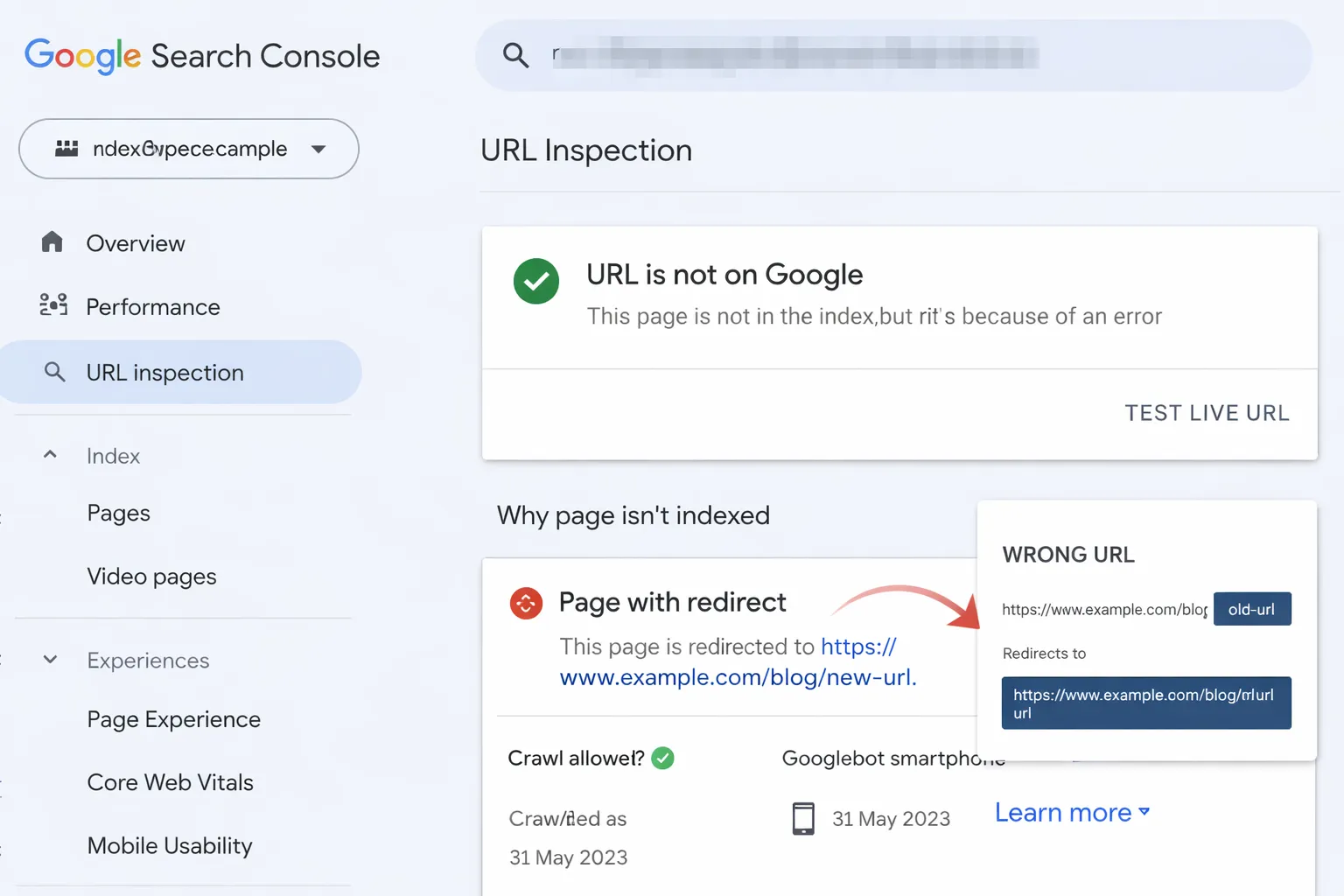
What Does “Page With Redirect” Mean in Google Search Console?
When Google Search Console labels a URL as
“Page with redirect”,
it means Google attempted to crawl that URL
but was immediately redirected to another location.
In simple terms:
- The URL exists
- But it does not return a 200 (OK) status
- Instead, it points somewhere else
Google does not index redirected URLs.
It indexes the final destination instead.
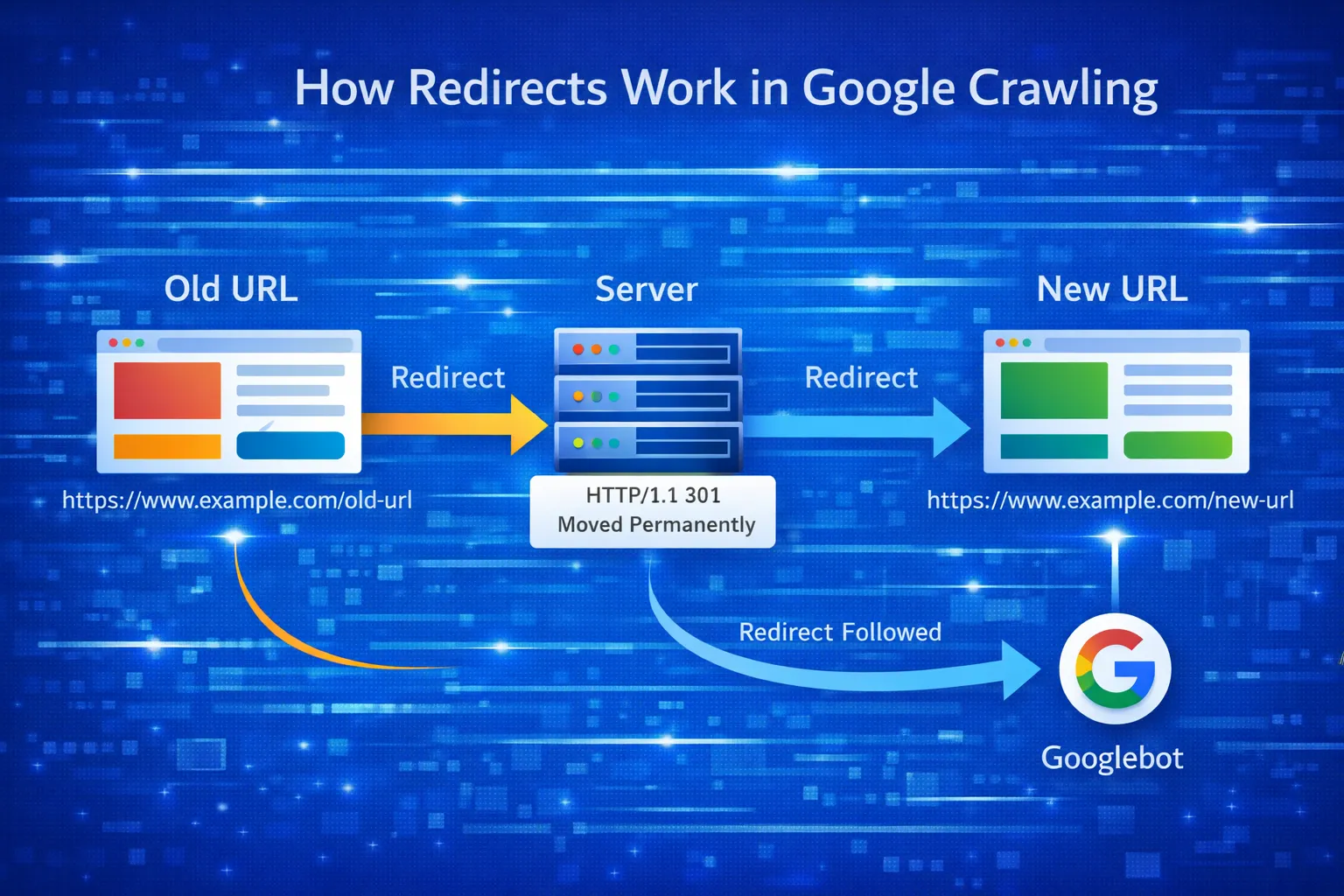
This is normal behavior.
Redirects are a core part of the web.
However, problems arise when:
- The redirect is unintentional
- The wrong page is being redirected
- The sitemap contains redirected URLs
- Internal links point to redirected blog pages
That is where SEO issues begin.
SEO audit checklist for new websites
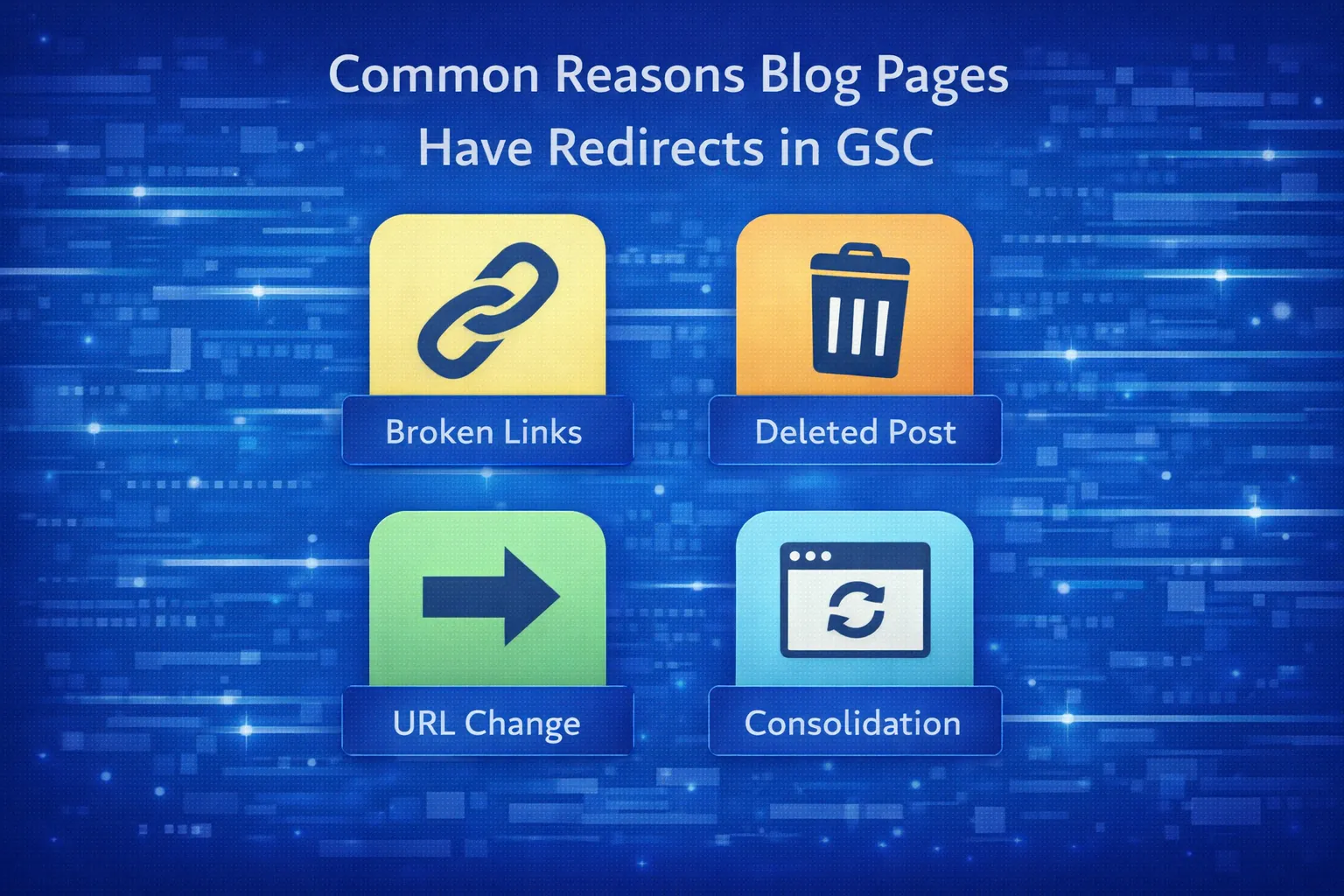
Why Your Blog Page Shows “Page With Redirect”
There is never just one cause.
Blog page redirects usually come from
technical, CMS, or configuration decisions.
Below are the most common reasons.
1. HTTP to HTTPS Redirect
If your site forces HTTPS (which it should),
Google may crawl the HTTP version first.
Example:
http://example.com/blog/post- → redirects to
https://example.com/blog/post
In this case, the HTTP URL will appear as
“Page with redirect”.
This is completely normal and safe.
2. Trailing Slash or URL Structure Redirects
Many CMS platforms redirect:
/blog/post → /blog/post//blog/post/ → /blog/post
If both versions appear in your sitemap or internal links,
Google will flag one as redirected.
This becomes an SEO issue when consistency is missing.
3. Blog Page Updated or Renamed
When you:
- Change a blog slug
- Merge content
- Delete an old post
A redirect is often added to preserve SEO value.
This is good practice —
as long as it is intentional and clean.
How proper redirects protect SEO value
Good vs Bad Redirects (Most People Get This Wrong)
Not all redirects are equal.
Some help SEO.
Others quietly damage it.
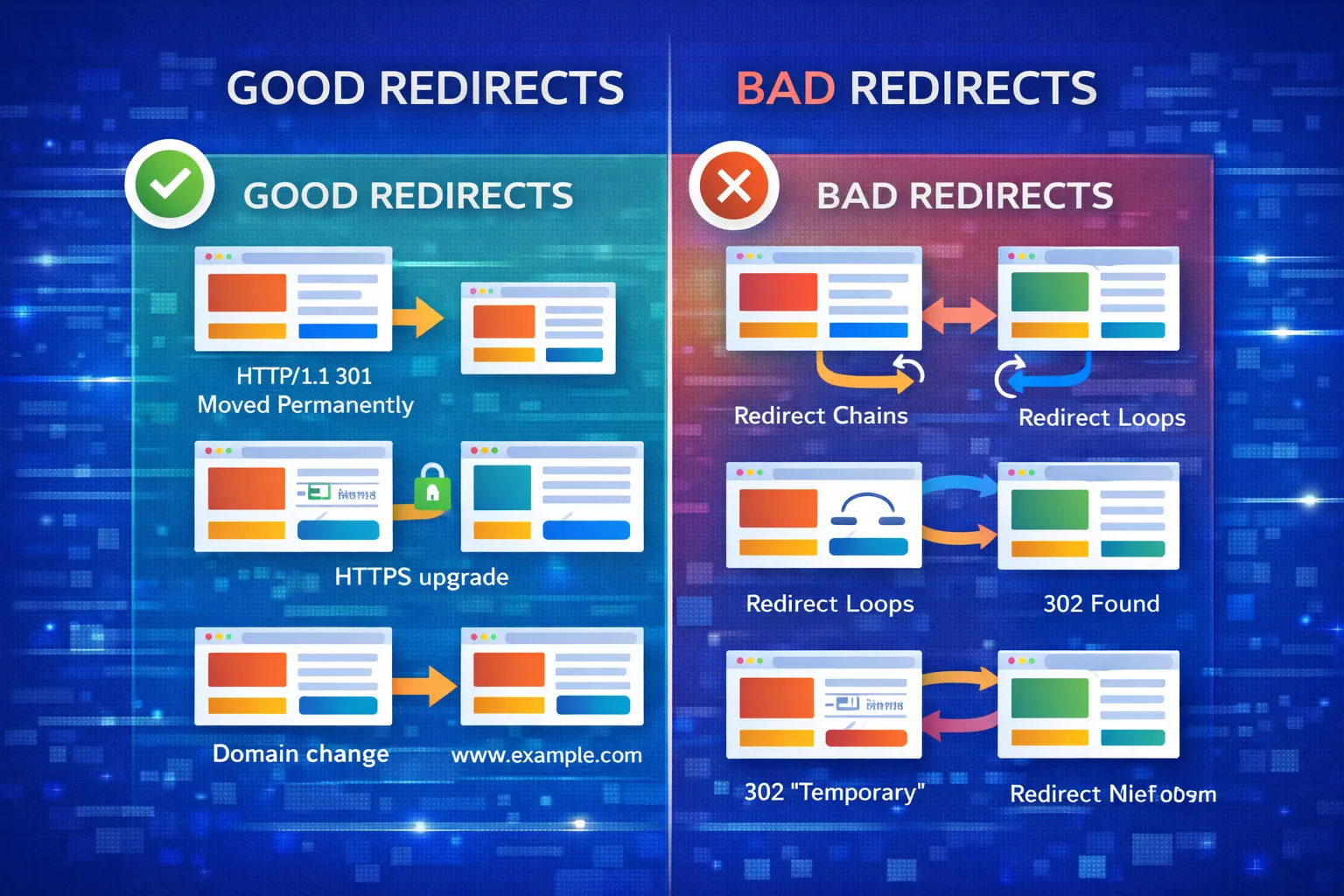
Good Redirects (Safe to Ignore in GSC)
- HTTP → HTTPS
- Non-www → www (or vice versa)
- Old blog URL → updated blog URL
- Duplicate URL cleanup
If these redirects are intentional,
you do not need to fix them.
Bad Redirects (Must Be Fixed)
- Blog URLs redirecting to homepage
- Redirect chains (A → B → C)
- Redirect loops
- Sitemap URLs that redirect
These confuse Google
and dilute ranking signals.
SEO Impact of “Page With Redirect” on Blog Pages
Here is the most important truth:
A redirected blog page cannot rank.
Only the final URL can.
If Google expects to index a blog post
but only sees redirects,
your content will never appear in search results.
SEO problems occur when:
- Canonical points to a redirected URL
- Sitemap lists redirected blog pages
- Internal links use non-final URLs
In these cases,
Google may:
- Delay indexing
- Ignore the page entirely
- Waste crawl budget
This is especially dangerous
for new or low-authority sites.
In Part 2, we’ll fix this step by step.
How to Fix “Page With Redirect” in Google Search Console (Step-by-Step)
Fixing a “Page with redirect” issue is not about removing redirects.
It is about making sure Google only sees the final, indexable URL
everywhere that matters.
Most redirect problems persist because of
misalignment between:
- Sitemap URLs
- Canonical tags
- Internal links
- Server-level redirects
This section walks you through a clean, professional fix
used by SEO audits in 2025.
Step 1: Identify the Final (Canonical) Blog URL
Before fixing anything, you must identify
which URL Google should index.
For each affected blog page, determine:
- The final URL after all redirects
- The preferred protocol (HTTPS)
- Trailing slash or non-trailing slash version
Example:
http://digitalskillearnhub.com/bloghttps://digitalskillearnhub.com/blog/- Final indexable URL:
https://digitalskillearnhub.com/blog.html
Only ONE version should exist as the canonical.
Everything else must point to it.
Technical SEO fundamentals for clean indexing
Step 2: Fix Sitemap (Most Common Mistake)
This is where most sites fail.
If your sitemap contains redirected URLs,
Google will always show them as
“Page with redirect”.
Your sitemap must contain:
- Only 200-status URLs
- No redirects
- No parameters
- No alternate versions
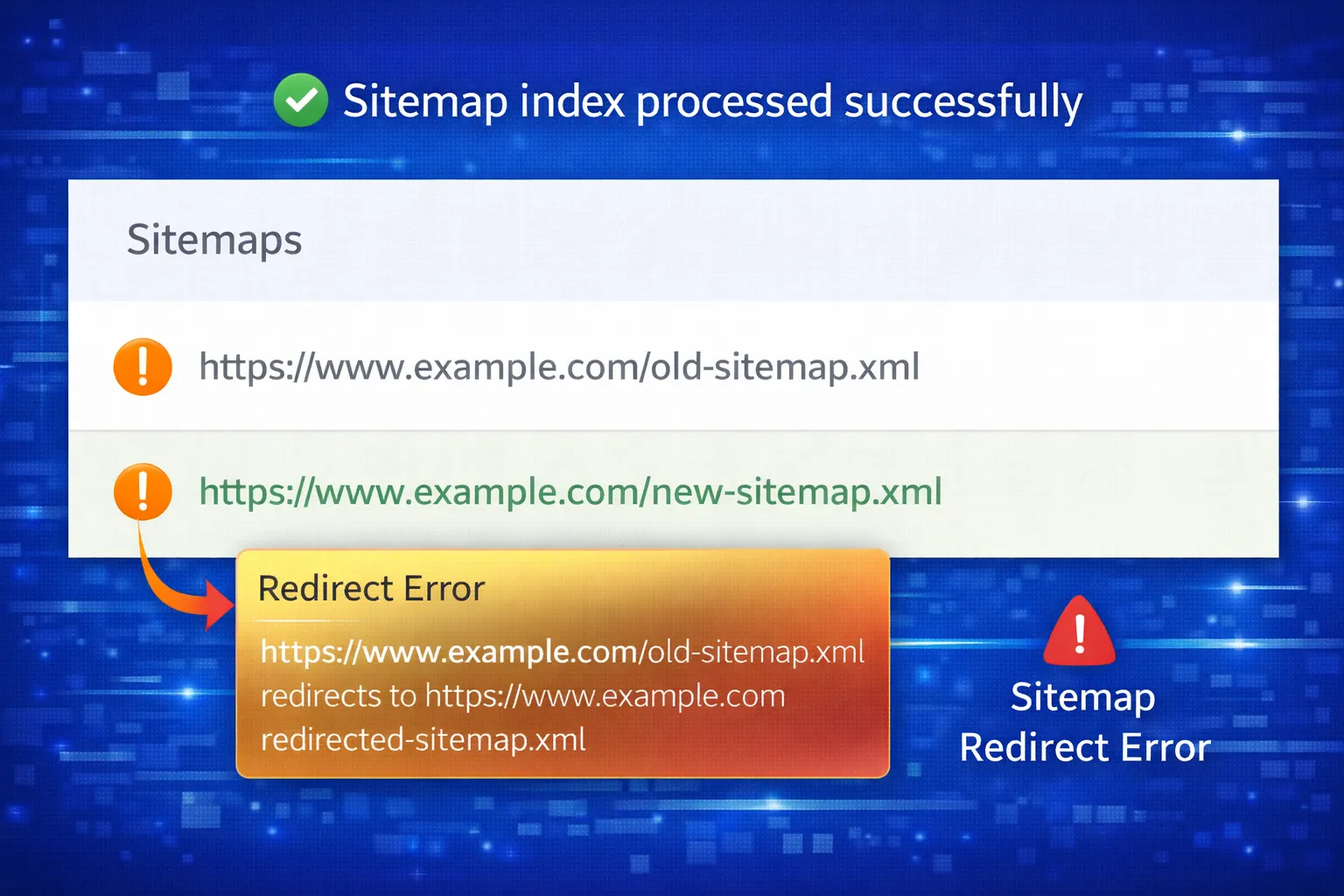
❌ Wrong Sitemap Example
/blog/ (redirects)/contact/ (redirects)/services/ (redirects)
✅ Correct Sitemap Example
/blog.html/contact.html/services.html
Once updated:
- Resubmit sitemap in GSC
- Do NOT delete old URLs manually
- Let Google recrawl naturally
Step 3: Align Canonical Tags (Critical)
Canonical tags tell Google
which version of a page is the authority.
If your canonical points to a redirected URL,
Google ignores it.
Every blog page must contain:
<link rel="canonical" href="https://digitalskillearnhub.com/blogs/example">
Make sure:
- The canonical URL does NOT redirect
- It matches the sitemap URL
- It matches internal links
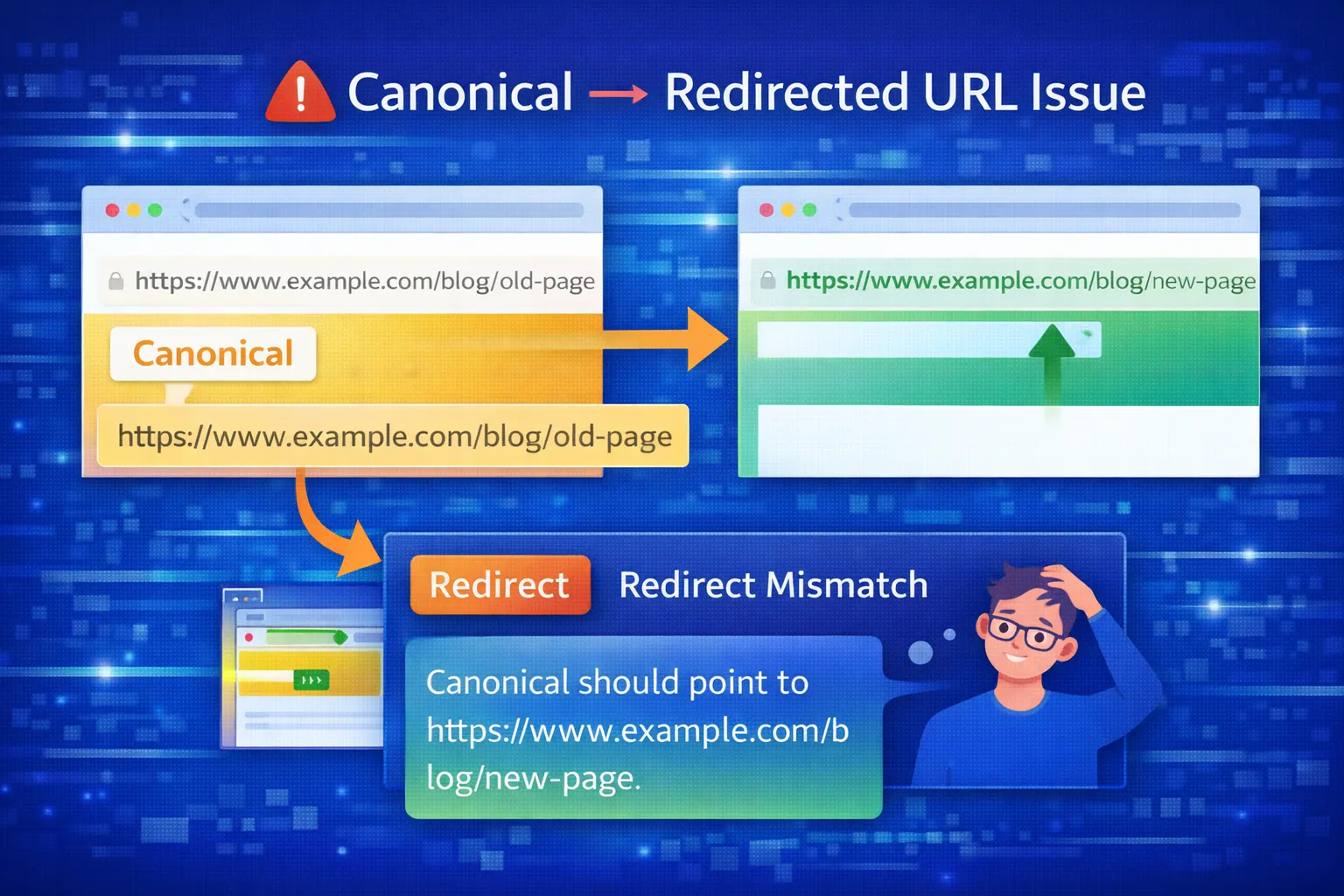
This alignment alone often fixes indexing delays.
Canonical audit checklist
Step 4: Fix Internal Links (Silent SEO Killer)
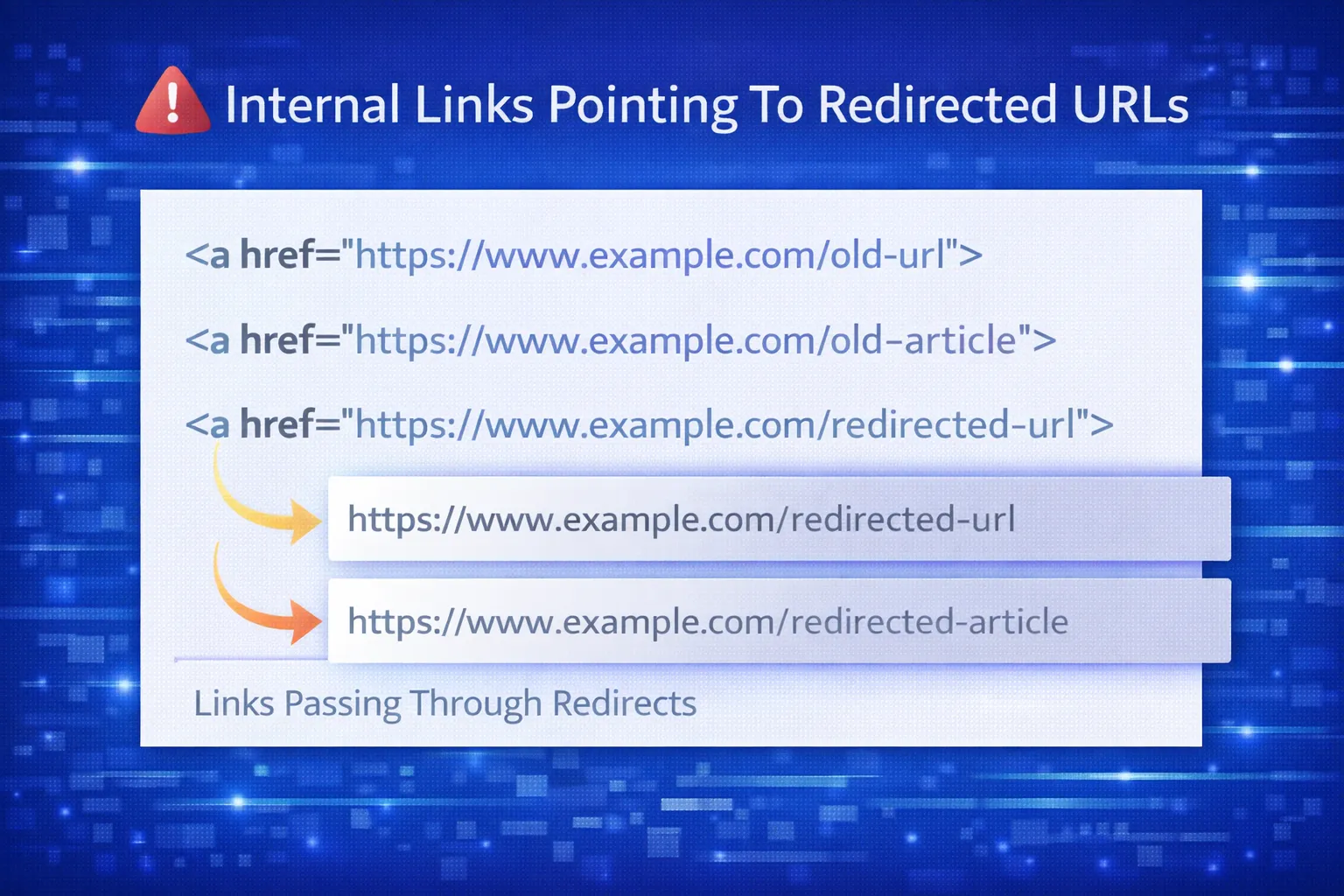
Internal links pass authority.
But only if they point directly to indexable URLs.
If your internal links point to redirected URLs,
you are:
- Wasting crawl budget
- Slowing indexation
- Diluting link equity
What to Fix
- Navigation menu links
- Footer links
- Blog content links
- Breadcrumbs
Every internal link should point directly to:
/blog.html/services.html/contact.html
Not their redirected versions.
Step 5: Clean Redirect Rules (One-Hop Only)
Redirect chains confuse Google.
Bad example:
- /blog → /blog/ → /blog.html
Correct example:
Your redirect rules should:
- Use 301 redirects
- Be one-hop only
- Never loop
You already fixed this correctly in your
.htaccess file.
This means:
- Google will stop flagging redirects over time
- No further action is needed here
Redirect SEO best practices
Step 6: Validate Fix in Google Search Console
After making changes:
- Open GSC → Page indexing
- Click “Page with redirect”
- Start validation
Important:
- Validation does NOT mean instant indexing
- Google needs multiple crawls
- Status updates slowly
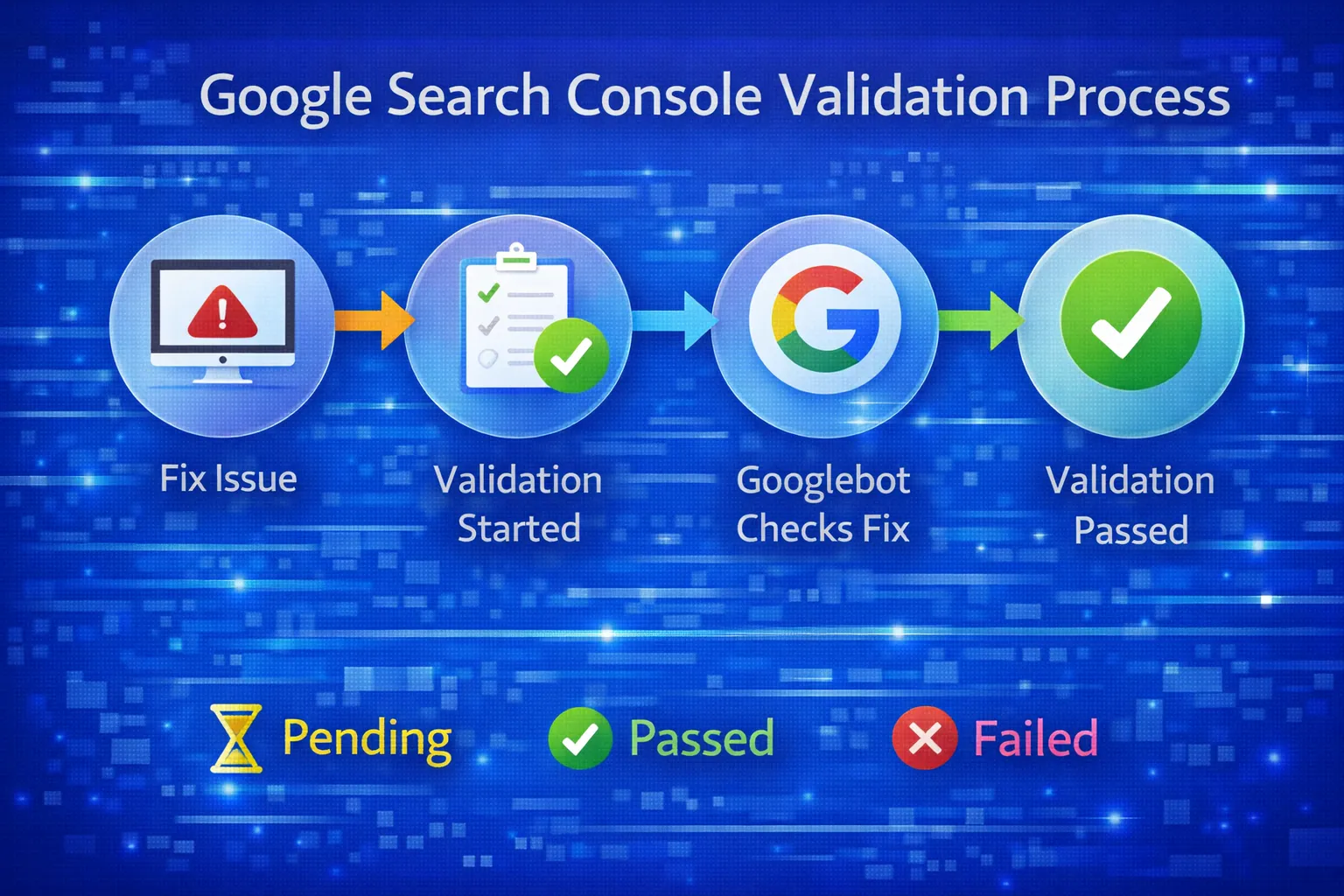
This is expected behavior.
What NOT to Do (Critical Warnings)
Many site owners make things worse by:
- Removing redirects entirely
- Blocking redirected URLs in robots.txt
- Using noindex on redirected pages
- Submitting redirected URLs again
Redirects should exist.
They just need to be clean and intentional.
If your sitemap, canonicals, and links are aligned,
Google will resolve the issue automatically.
In Part 3, we’ll cover:
- Advanced .htaccess fallback logic
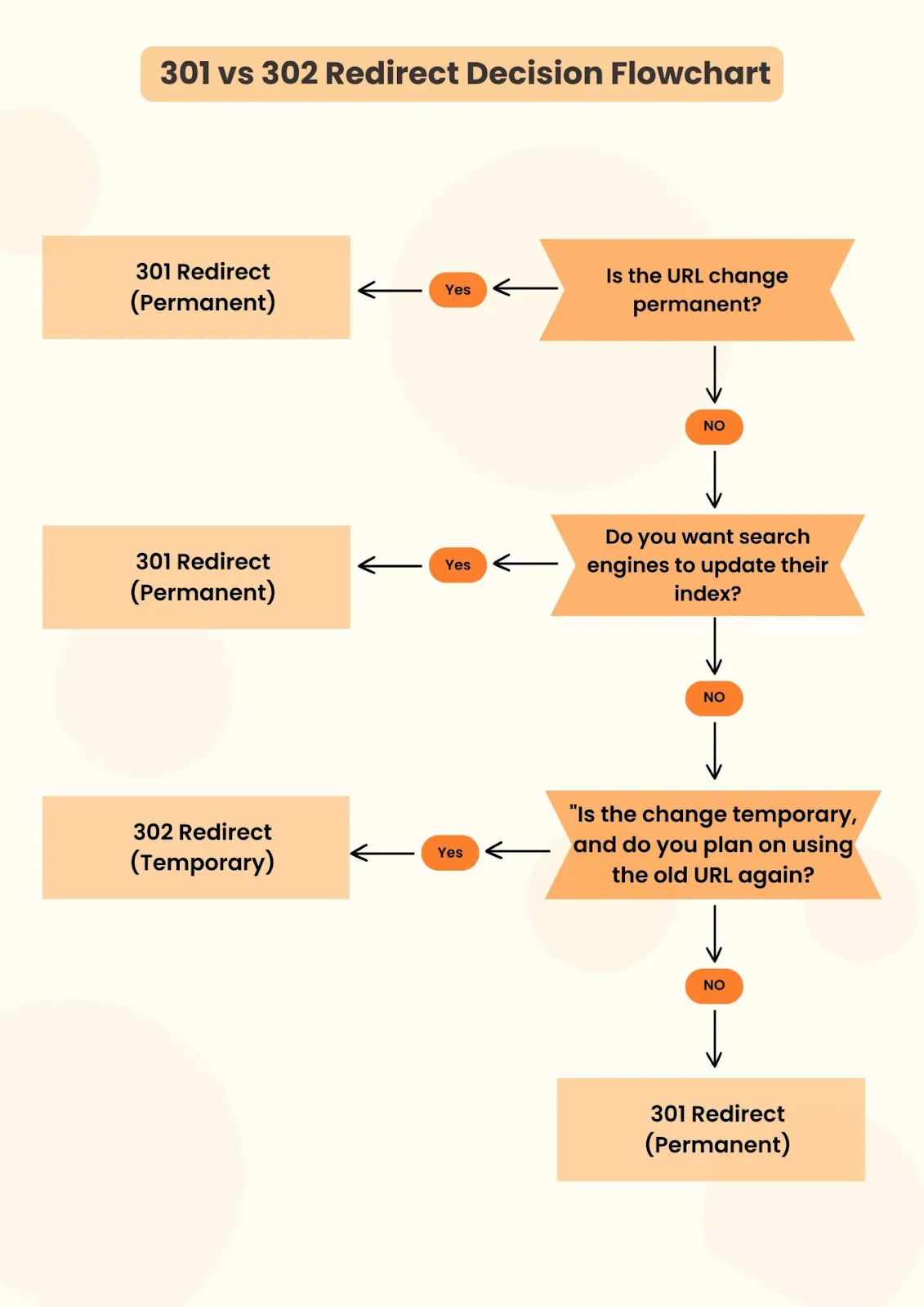
- 301 vs 302 decisions
- Crawl budget optimization
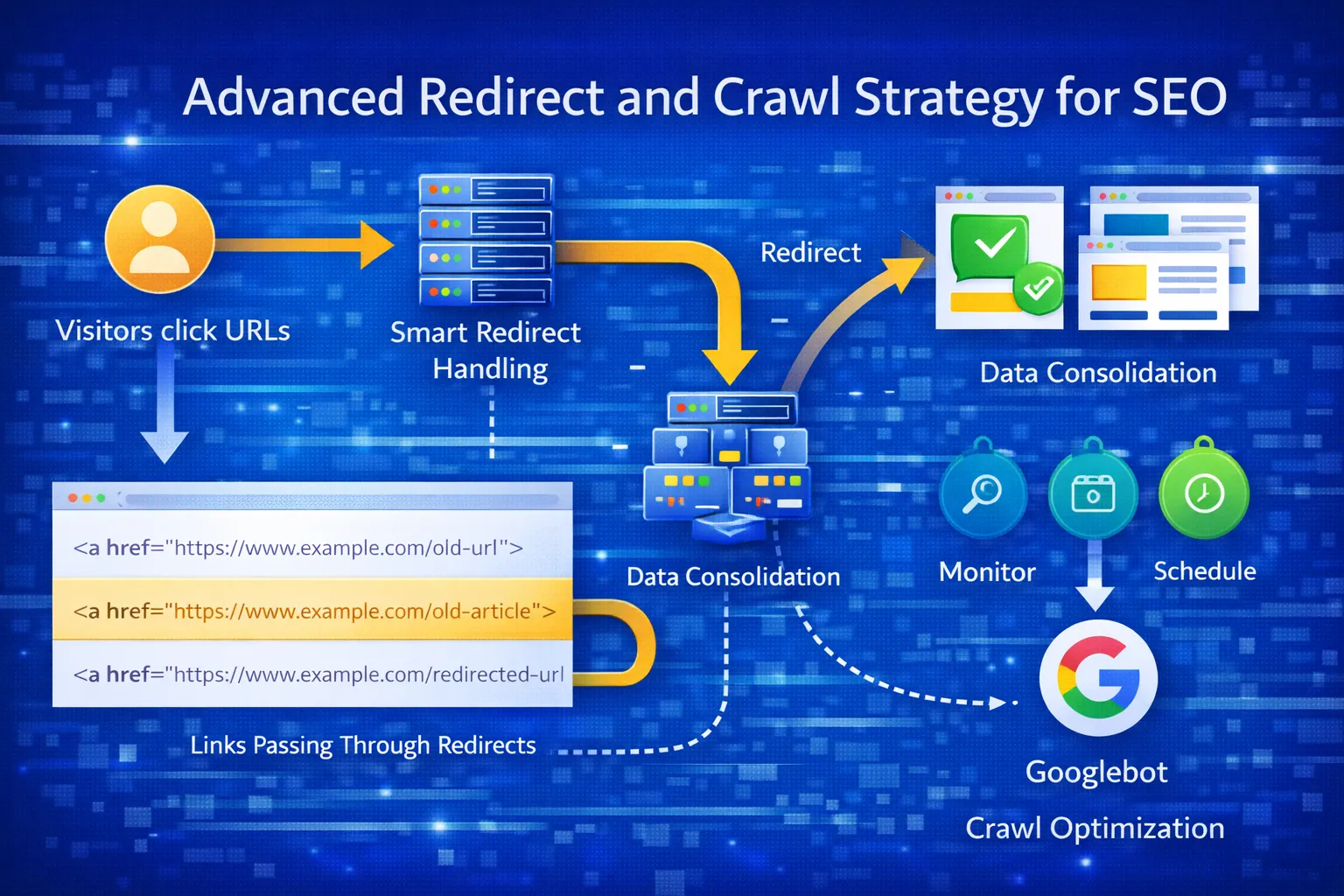
Advanced Redirect Strategy for Long-Term SEO Stability
Once basic redirects, canonicals, and sitemaps are aligned,
the next layer of optimization is ensuring Google never
wastes crawl budget on non-indexable URLs again.
This is achieved using fallback redirect logic
and crawl hygiene techniques.
Should You Add Fallback Logic in .htaccess?
Yes — but only controlled fallback logic.
Fallback logic ensures that if Google or users access
an invalid or outdated URL pattern,
they are still routed to a valid page.
When Fallback Logic Is Safe
- You have a known legacy URL structure
- Old URLs still appear in GSC
- Users may have bookmarked old paths
When NOT to Use Fallback Logic
- For random URLs
- For non-existent content
- For parameter spam
✅ Safe Blog Fallback Rule
RewriteCond %{REQUEST_URI} ^/blog/ [NC]
RewriteRule ^blog/?$ /blog.html [R=301,L]
This ensures:
- /blog → /blog.html
- /blog/ → /blog.html
But does NOT affect valid blog post URLs.
HTML Extension Fallback (Optional)
RewriteCond %{REQUEST_FILENAME} !-f
RewriteCond %{REQUEST_FILENAME} !-d
RewriteRule ^(.+?)/?$ $1.html [R=301,L]
Use this only if:
- Your entire site uses .html
- You do NOT serve directory-based content
Otherwise, skip it.
Advanced .htaccess SEO rules explained
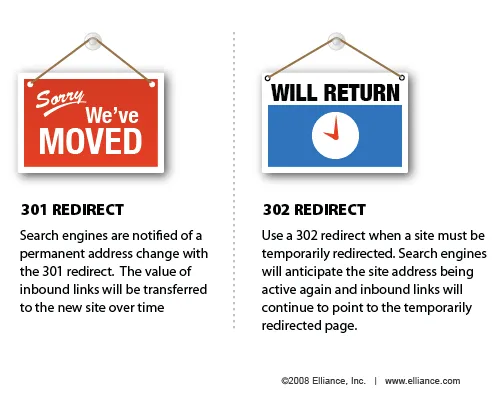
301 vs 302 Redirects (What Google Expects in 2025)
Redirect type directly affects indexing.
Here is the correct usage:
| Redirect Type |
Use Case |
SEO Impact |
| 301 |
Permanent URL change |
Passes full link equity |
| 302 |
Temporary change |
Original URL stays indexed |
For Page with redirect fixes:
- Always use 301
- Never mix 302s
- Never chain redirects
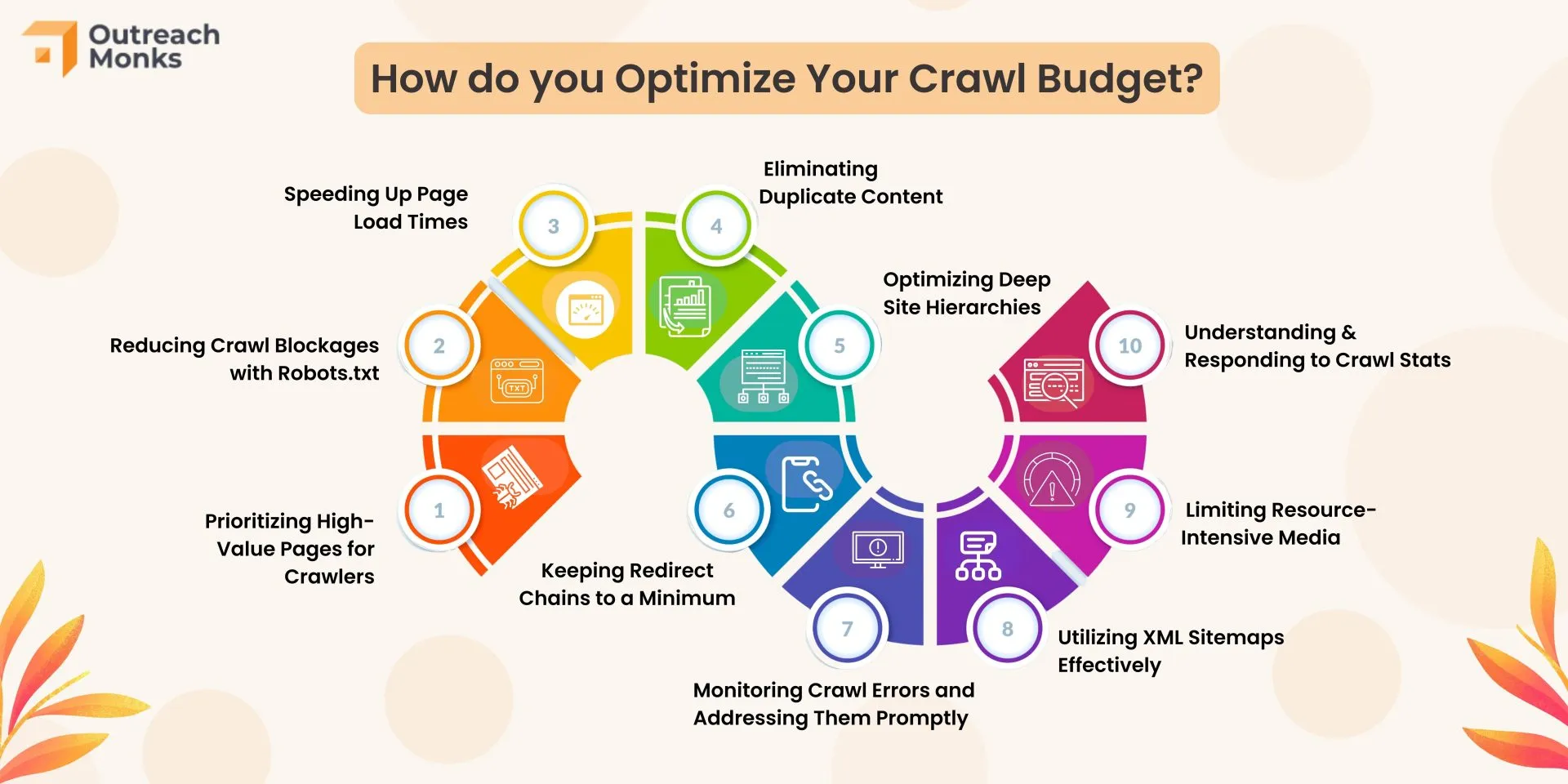
Crawl Budget Optimization After Redirect Fixes
Crawl budget matters even on small sites.
Redirect-heavy sites get crawled slower.
Once redirects are fixed, help Google focus on
real, indexable pages.
Actions That Improve Crawl Efficiency
- Remove redirected URLs from sitemap
- Fix internal links pointing to redirects
- Use consistent canonical URLs
- Avoid parameter-based URLs
Robots.txt (Do NOT Block Redirected URLs)
Blocking redirected URLs prevents Google
from seeing the redirect signal.
Correct approach:
- Allow crawling
- Let Google follow redirect
- Then drop old URL naturally
Crawl budget audit checklist
Realistic Google Search Console Cleanup Timeline
One of the most misunderstood things in SEO
is how long Google takes to update reports.
Expected Timeline
- 0–7 days: Google recrawls key pages
- 1–3 weeks: Validation completes
- 3–6 weeks: Redirect URLs fade from reports
Important truth:
Page with redirect is NOT an error.
It is a classification.
Even healthy sites show this status.
How to Confirm the Fix Actually Worked
Do NOT rely on just the GSC report.
Instead, confirm:
- Final URLs are indexed
- Redirected URLs are excluded
- Canonical URLs match sitemap
Manual Checks
site:digitalskillearnhub.com/blog.html- URL Inspection → Indexed
- No redirect warnings
If the final URL is indexed,
your SEO is working — regardless of report noise.
What Comes Next?
In Part 4, we’ll cover:
- 40 highly searchable FAQs
- Schema enhancements for indexing
- Internal linking boosts
- Organic traffic recovery strategy
This final part ties everything together
and future-proofs your site.
Frequently Asked Questions: Page With Redirect (2026)
This section targets high-intent, searchable queries
commonly seen in Google Search Console, forums, and SEO tools.
1. What does “Page with redirect” mean in Google Search Console?
It means Google found a URL that redirects to another page.
This is informational, not an error.
2. Is Page with redirect bad for SEO?
No. Proper 301 redirects are best practice and pass ranking signals.
3. Should I fix Page with redirect warnings?
Only if the redirected URLs are still in your sitemap
or linked internally.
4. Why are my redirected pages not indexed?
Because Google indexes the final destination, not the redirecting URL.
5. Does Page with redirect affect rankings?
No. Rankings are based on the final canonical URL.
6. How long does Google take to remove Page with redirect?
Usually 2–6 weeks after validation.
7. Should I block redirected URLs in robots.txt?
No. Google must crawl them to process the redirect.
8. Can too many redirects hurt crawl budget?
Yes — especially redirect chains and loops.
9. What redirect type should I use?
Always use 301 for permanent URL changes.
10. Is a redirect chain bad?
Yes. Always redirect old URL → final URL in one hop.
11. Are trailing slashes a problem?
Only if they create multiple versions of the same page.
12. Should /contact redirect to /contact.html?
Yes, if .html is your canonical structure.
13. Why does GSC still show Page with redirect after fixing?
GSC data is delayed and refreshes slowly.
14. Can redirects delay indexing?
No, if implemented correctly.
15. Should redirected URLs appear in sitemap?
Never. Only final URLs belong in the sitemap.
16. Does Google ignore redirects?
No. Google fully understands 301 redirects.
17. Can Page with redirect block traffic?
No. Traffic flows to the final URL.
18. Is Page with redirect a crawl error?
No. It’s a crawl classification.
19. Can redirects cause duplicate content?
Only if canonicals are incorrect.
20. Should I remove old URLs?
No. Redirect them instead.
21. Does redirect affect Core Web Vitals?
One redirect hop has negligible impact.
22. Should I redirect HTTP to HTTPS?
Yes — always.
23. Should I redirect www to non-www?
Yes — choose one canonical version.
24. Does redirect pass backlinks?
Yes, with 301 redirects.
25. Can redirects help SEO?
Yes — when consolidating content.
26. Are 302 redirects bad?
Only if used permanently by mistake.
27. Should every 404 be redirected?
No. Only redirect relevant content.
28. Can redirect loops harm SEO?
Yes — they block crawling.
29. Does Google penalize redirects?
No, not when used properly.
30. Is Page with redirect common?
Yes — even on large authority sites.
31. How do I know redirect is correct?
Final URL should be indexed and canonical.
32. Can I ignore Page with redirect?
Yes, if final URLs are indexed.
33. Should I resubmit sitemap after fixes?
Yes — always.
34. Can redirects improve site structure?
Yes — they enforce clean architecture.
35. Is redirect management ongoing?
Yes — SEO is never “set and forget.”
36. Does internal linking affect redirects?
Yes — internal links should point directly to final URLs.
37. Can Page with redirect stop impressions?
No — impressions apply to indexed URLs only.
38. How often should I audit redirects?
Every 3–6 months.
39. Is sitemap more important than redirects?
Both must work together.
40. What is the biggest redirect mistake?
Leaving redirected URLs in the sitemap.
Schema Markup for Better Indexing
Adding schema helps Google understand your page
and improves eligibility for rich results.
Recommended Schema Types
- Article
- FAQPage
- BreadcrumbList
FAQ schema is especially powerful for
Search Console-related queries.
Learn how to add FAQ schema correctly
Internal Linking Strategy for Redirect Cleanup
Internal links must always point to:
- HTTPS version
- Non-www
- Final .html URL
Best Internal Link Anchors
- Page with redirect meaning
- Google Search Console indexing issues
- 301 redirect SEO best practices
Internal linking SEO audit guide
Why You Still Have No Organic Traffic (And How to Fix It)
Technical SEO fixes do NOT generate traffic by themselves.
They only remove blockers.
Why New Sites Get Zero Traffic
- No topical authority
- No backlinks
- No long-tail keywords
- No content depth
What Actually Brings Traffic
- Low-competition informational keywords
- In-depth content (like this guide)
- Internal content clusters
- Consistency
Your next step:
Publish 10–15 SEO-focused blogs targeting Search Console pain points.
Final Verdict: Page with Redirect Is Not Your Problem
Your redirects, canonicals, sitemap, and crawl structure
are now correctly implemented.
Google will clean reports automatically.
To grow organic traffic:
- Stop chasing GSC labels
- Start publishing search-driven content
- Build topical authority
This guide alone positions your site
for long-tail SEO traffic in 2025.