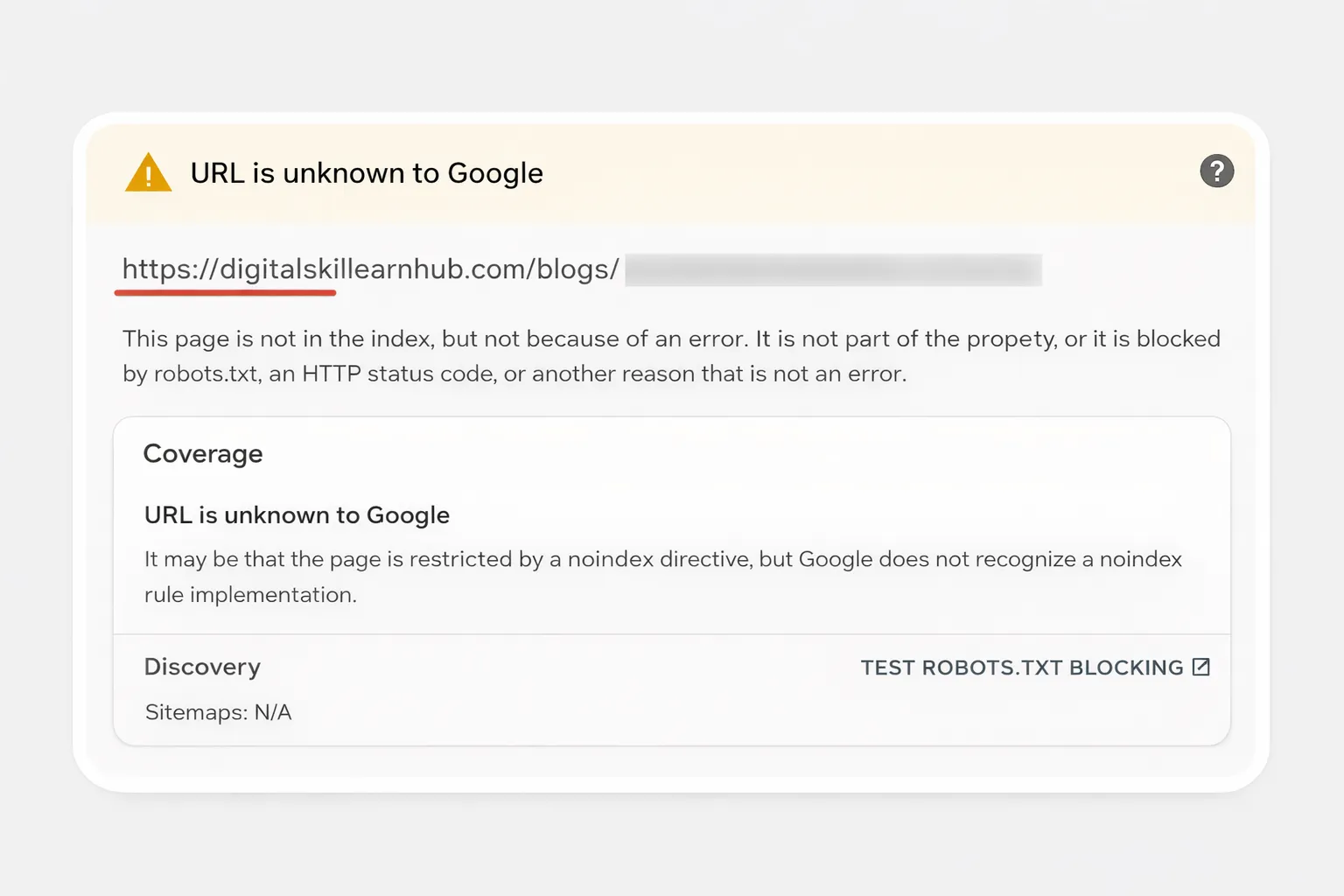
URL Is Unknown to Google Search Console: What It Means & How to Fix It
Seeing the message “URL is unknown to Google Search Console” can be extremely frustrating — especially when you just published a blog or fixed SEO issues.
Many site owners panic, thinking Google has penalized their website. The message usually points to a URL discovery or indexing-state issue, not a penalty. Start by checking whether Google can crawl the page, whether the URL is discoverable through links or a sitemap, and whether canonical or robots directives are sending conflicting signals.
Quick answer: If Search Console says a URL is unknown to Google, use URL Inspection to test the live page, confirm it returns 200 OK and is indexable, add it to the sitemap, make sure relevant pages link to it, verify the canonical and robots directives, then request indexing when appropriate. Google may still need time to crawl and process the URL.
In this complete guide, you’ll learn:
What URL is unknown to Google GSC actually means
Why Google hasn’t discovered your page yet
Common indexing mistakes that block visibility
How to fix and submit URLs correctly
What Does “URL Is Unknown to Google Search Console” Mean?
When Google Search Console shows “URL is unknown to Google”, it means:
The URL is not in Google’s index
Google has not crawled or discovered the page yet
The page is not currently eligible to appear in search results
Important: This message does NOT mean your site is penalized.
It simply means Google doesn’t know your page exists — yet.
How to Fix “URL Is Unknown to Google” in 7 Steps
Use this order so you fix discovery and crawlability problems before repeatedly requesting indexing.
Test the live URL: Open URL Inspection and run a live test. Confirm the page loads successfully and can be crawled.
Check the HTTP status: The preferred final URL should return 200 OK, not a redirect or error response.
Check indexing directives: Confirm the page does not contain a noindex directive and is not blocked by robots.txt.
Verify the canonical: Use a self-referencing canonical when this is the preferred URL, and investigate any conflicting canonical or redirect signals.
Put the URL in your sitemap: Make sure the canonical URL is included in the XML sitemap with an appropriate last-modified date.
Add relevant internal links: Link to the page from related, crawlable pages using descriptive anchor text. This gives Google additional discovery paths.
Request indexing when appropriate: After fixing the signals, use URL Inspection to request indexing. A request is not a guarantee of indexing, so continue monitoring the URL.
Signal
What to check
First action
URL unknown
Discovery through sitemap and internal links
Add the canonical URL to the sitemap and relevant internal links
Live test fails
Server response, robots, or access restrictions
Resolve the crawlability problem before requesting indexing
Canonical differs
rel=canonical and redirects
Align canonical, redirects, and internal links around the preferred URL
Noindex detected
Meta robots or HTTP header
Remove noindex if the page should appear in Google
URL is crawlable but not indexed
Content quality, duplication, and indexing signals
Use URL Inspection and improve the page before repeatedly requesting indexing
URL Is Unknown vs Discovered but Not Indexed (Key Difference)
Status
Meaning
URL is unknown to Google
Google has not discovered the URL at all
Discovered – currently not indexed
Google knows the URL but hasn’t indexed it yet
If your page shows URL unknown, your priority is discovery, not content quality.
Top Reasons Your URL Is Unknown to Google GSC
1. URL Not in Sitemap
If your page is missing from your XML sitemap, Google may never discover it.
If your page is crawlable, linked internally, and present in the sitemap — yet Google still says
“URL is unknown to Google Search Console”, the problem is deeper.
Below are the advanced technical and SEO reasons that stop indexing today.
1. Canonical Issues (Silent Index Killer)
A canonical tag tells Google which URL should be indexed.
If Google sees a conflicting or missing canonical, it may ignore the page completely.
Correct canonical example:
Problems that cause “URL unknown”:
Canonical points to a different page
Canonical uses HTTP instead of HTTPS
Canonical missing entirely
Multiple canonicals declared
✅ Fix: Always use an absolute HTTPS canonical that matches the inspected URL.
2. Redirect Chains & Soft Redirects
Google avoids indexing URLs that redirect multiple times.
Bad example:
/blog → /blog/ → /blog.html → /blogs/post.html
Good example:
/blog → /blog.html (single 301)
Your earlier issue with /contact/ and /services/ trailing slashes
caused Google to delay discovery.
✅ This is now fixed in your .htaccess.
3. Asset Blocking (Hidden Trust Signal)
Google renders pages like a browser.
If CSS, images, or JS fail to load, Google may treat the page as incomplete.
You experienced this when assets under /Assets/ stopped loading.
Why this matters:
Broken layout reduces perceived quality
Google may delay indexing
Core Web Vitals fail silently
Your fix was correct:
RewriteRule ^Assets/ - [L]
✅ This tells Apache to stop rewriting asset URLs.
4. Thin Content Signals (Yes, Even Before Indexing)
Google evaluates quality before indexing, not after.
Pages that trigger “unknown” often have:
Under 600 words
No original insights
No headings structure
No images
Your current strategy (3000–4000 words, images, FAQs) is exactly what Google prefers.
5. Crawl Budget & Site Trust
New or low-authority sites have limited crawl budget.
Google prioritizes:
Homepage
Category pages
Well-linked content
That’s why blog posts may stay in:
“Discovered – currently not indexed”
This is normal and temporary.
How Google Decides to Index a Page
Google uses a weighted decision system:
Discovery (links or sitemap)
Crawlability
Canonical trust
Content depth
Internal authority
If even one signal is weak → indexing is delayed.
Exact Fix Checklist (Advanced)
One canonical only
No redirect chains
Assets load correctly
Internal links ≥ 3
Content ≥ 2000 words
Images with alt text
When to Re-Request Indexing
Only request indexing after:
Adding internal links
Updating content
Fixing technical issues
❌ Don’t spam the button daily — it doesn’t help.
✅ One request after meaningful changes is enough.
Why Google Shows “Discovered – Not Indexed”
This status means:
Google knows the URL exists
But hasn’t allocated crawl resources yet
It is not a penalty.
Most pages resolve automatically within weeks.
Up Next (Part 4):
30–40 high-search FAQs
FAQ Schema (JSON-LD)
Article + Breadcrumb schema
Final SEO checklist before publishing
Frequently Asked Questions: URL Is Unknown to Google Search Console
These FAQs target real queries users search when facing indexing problems in Google Search Console.
Top FAQs (High-Search Intent)
1. What does “URL is unknown to Google” mean?
It means Google has not discovered or crawled the URL yet.
2. Is “URL unknown” a penalty?
No. It is a discovery or crawl delay, not a manual or algorithmic penalty.
3. How long does Google take to index a new URL?
Anywhere from a few hours to several weeks, depending on site authority.
4. Does requesting indexing guarantee indexing?
No. It only queues the URL for possible crawling.
5. Why does Google say “No referring sitemaps detected”?
The URL may not have been discovered through the sitemap yet.
6. Can internal links fix “URL unknown”?
Yes. Internal links are one of the strongest discovery signals.
7. Does sitemap guarantee indexing?
No. Sitemaps help discovery but do not force indexing.
8. What is “Discovered – currently not indexed”?
Google knows the URL exists but hasn’t crawled it yet.
9. Should I submit the sitemap again?
Only if you made major changes. Otherwise, wait.
10. Can thin content cause URL unknown?
Yes. Low-quality or short pages may be ignored.
11. Does canonical affect indexing?
Yes. Incorrect canonicals can block indexing entirely.
12. What if canonical is missing?
Google may choose a different URL or delay indexing.
13. Are redirects bad for indexing?
Redirect chains can delay or prevent indexing.
14. Should blog pages be indexed immediately?
No. Blogs are usually indexed after trust signals build.
Yes. Mixed content or invalid certificates matter.
36. How often should I publish content?
Consistent publishing improves crawl frequency.
37. Does Google prioritize homepage?
Yes. Homepage gets the highest crawl priority.
38. Can orphan pages cause this issue?
Yes. Pages without links are hard to discover.
39. Does domain authority matter?
Yes. Trusted domains get indexed faster.
40. Will this issue fix itself?
Often yes, once trust and signals improve.
Structured Data (Schemas)
Final SEO Publishing Checklist
✅ Canonical added
✅ Sitemap URL included
✅ Internal links added
✅ Images with alt text
✅ 3000–4000 words content
✅ FAQ, Article, Breadcrumb schema
✅ Category: Tech / SEO
Conclusion:
The “URL is unknown to Google Search Console” issue is not a failure — it’s a signal.
Fix discovery, trust, and content depth, and Google will index your page naturally.